The Open-Source, Local-First AI Coding Companion.
Smart Code Prompts is a free, self-hosted desktop application that gives you a powerful, private, and flexible environment for interacting with Large Language Models (LLMs). Built with Electron and powered by the same editor as VS Code, it runs on your machine, connects to any LLM via OpenRouter, and keeps your code completely private.
It's designed for developers who want the benefits of AI assistance without sacrificing control or sending their codebase to a third-party service.
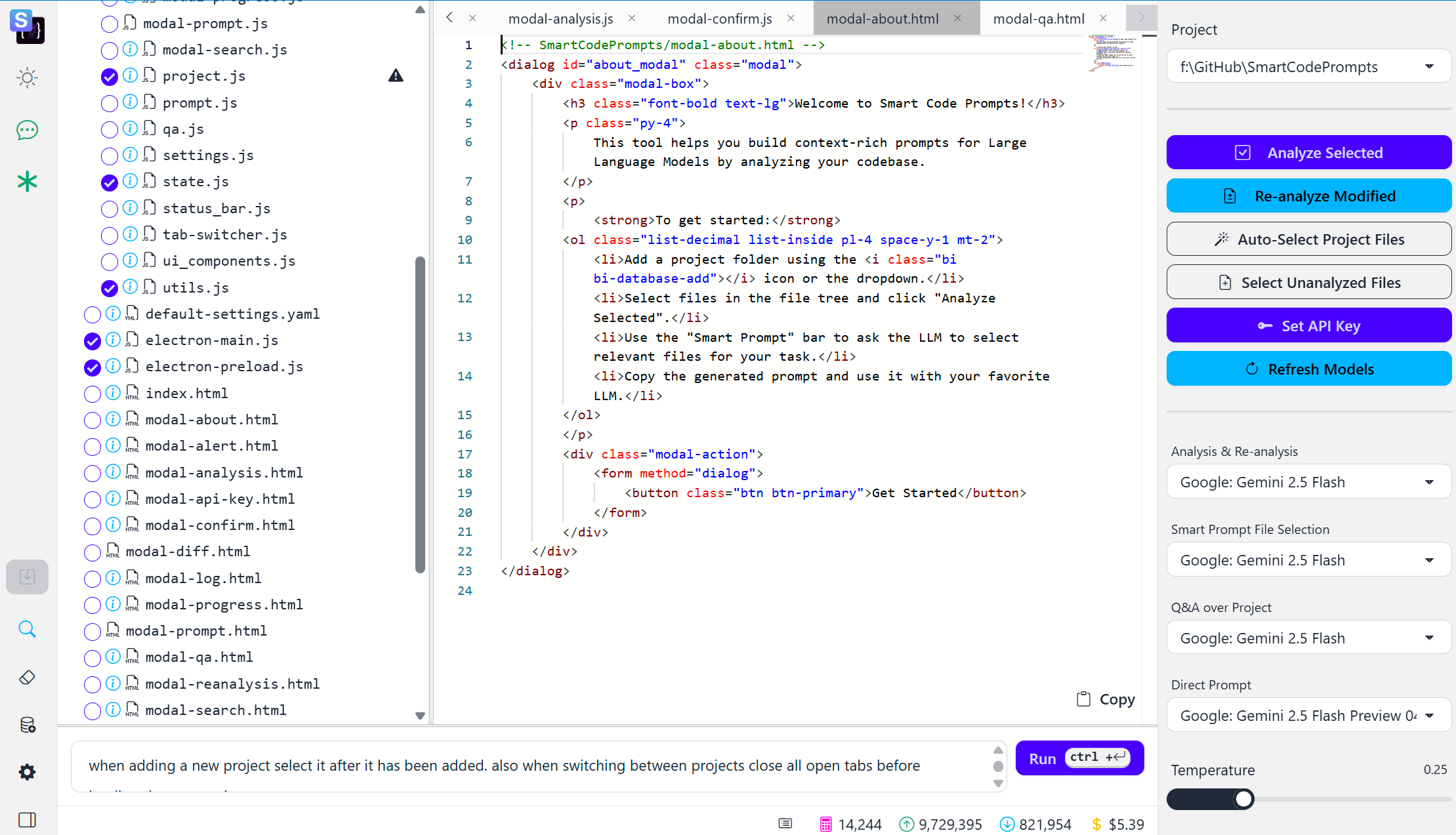
In a world of cloud-based AI assistants, Smart Code Prompts offers a different approach:
- 🔒 Absolute Privacy: Your code, project files, and API keys never leave your computer. All processing and state management happens locally.
- 🔧 Total Control: You choose the project, the files, the LLM, and the prompt. It's your workflow, amplified.
- 💰 No Subscriptions: It's free and open-source. You only pay for the LLM usage you incur via your own API key.
- 🔌 Use Any Model: Through OpenRouter.ai, you can access hundreds of models from OpenAI, Anthropic, Google, Mistral, and more. Pick the best tool for the job, from the fastest small models to the most powerful large ones.
- 🚀 Open Source: The entire application is open for you to inspect, modify, and contribute to. No black boxes.
- Project-Based Workflow: Add multiple local project folders and switch between them easily.
- VS Code Editor Experience: Enjoy a first-class coding experience with the Monaco Editor, featuring tabs, syntax highlighting, keybindings, and a familiar UI.
- Context-Rich Prompt Building: Select files from the tree to automatically build a comprehensive prompt, giving the LLM the context it needs for high-quality responses.
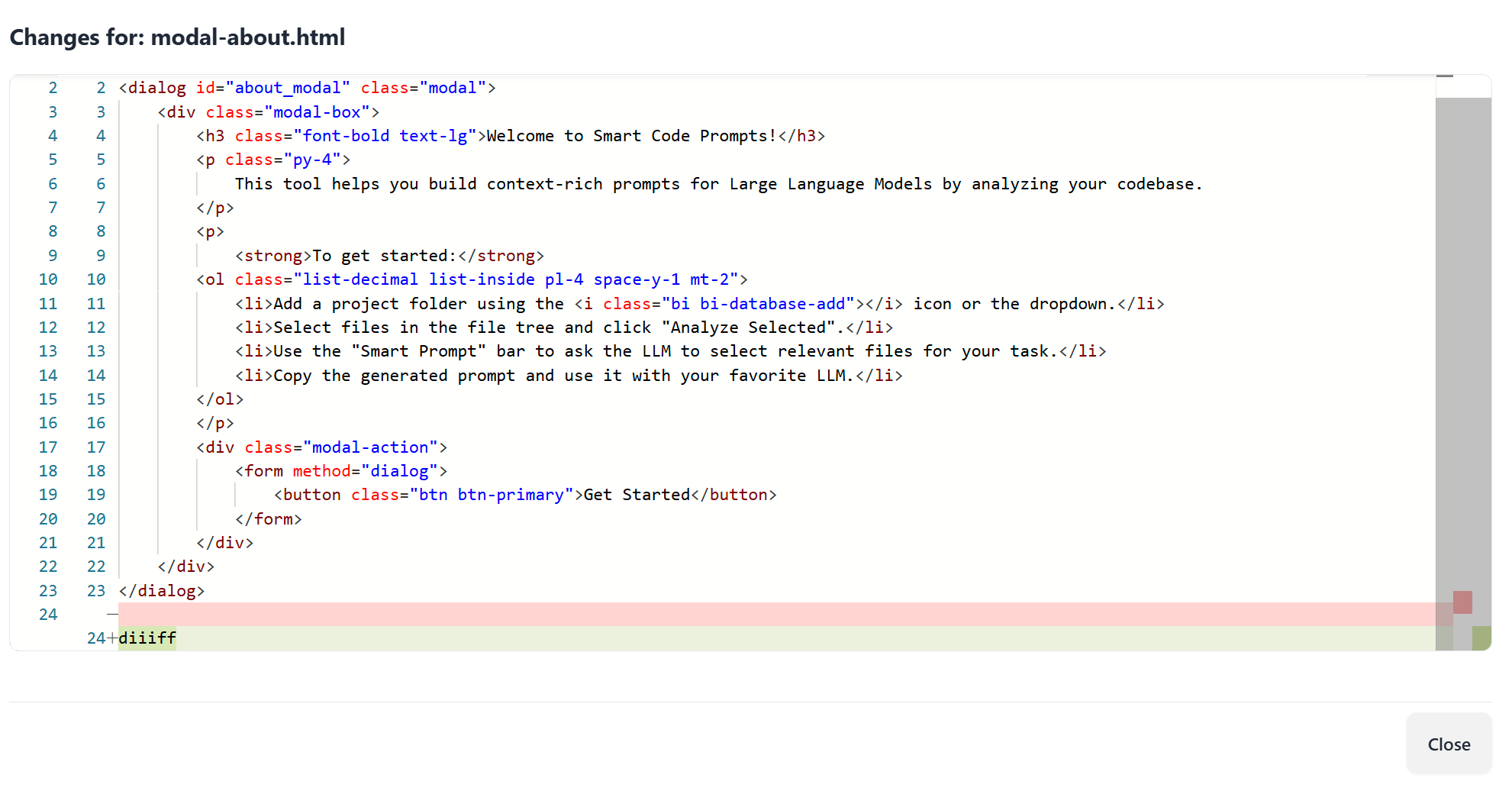
- Full Git Integration:
- See which files have been modified with visual indicators in the file tree.
- View side-by-side diffs of your changes directly in the app.
- Reset unwanted changes to a file with a single click.
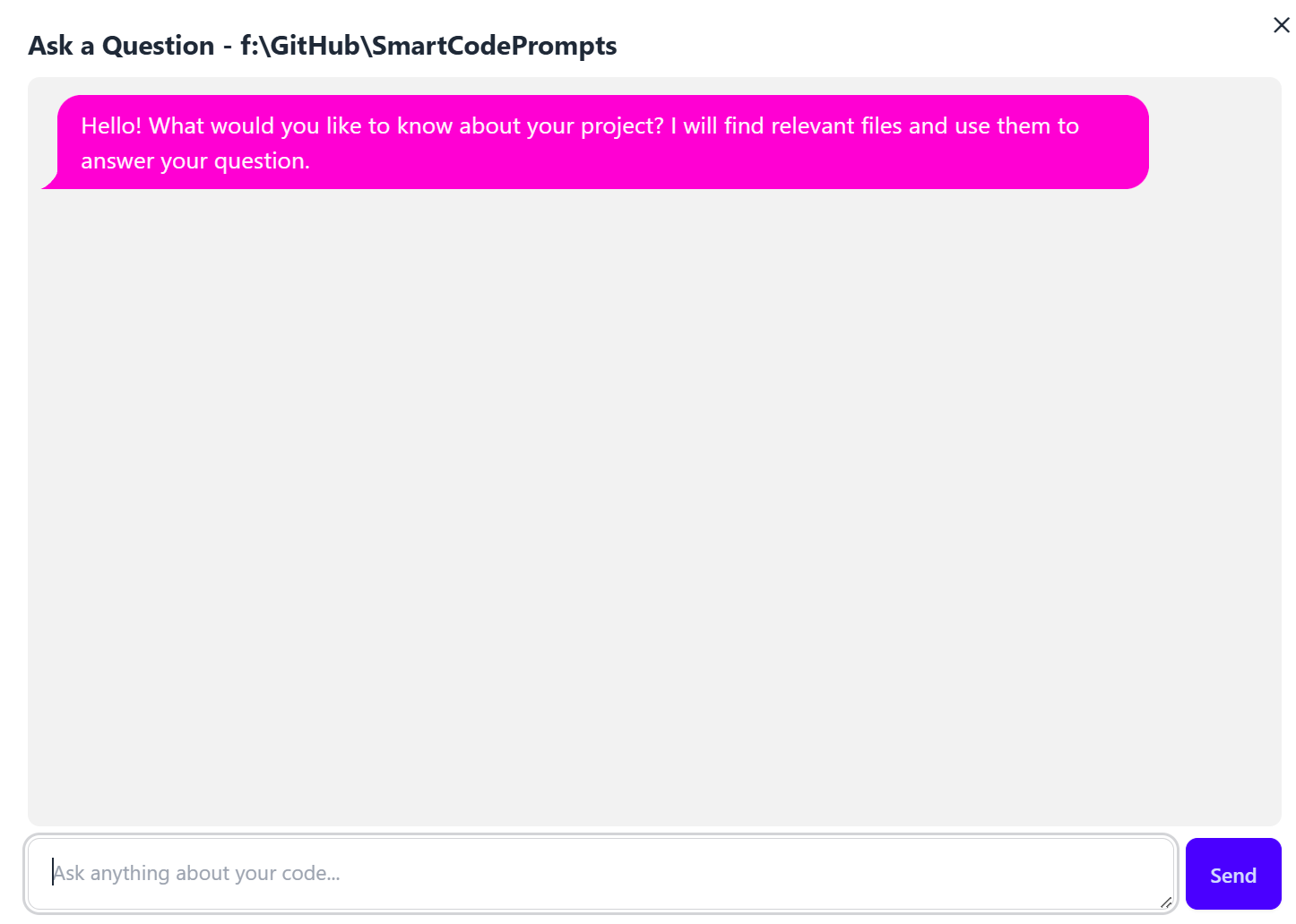
- Intelligent Q&A: Chat with an AI that has context on your selected files. Ask it to explain code, suggest refactors, or help you debug.
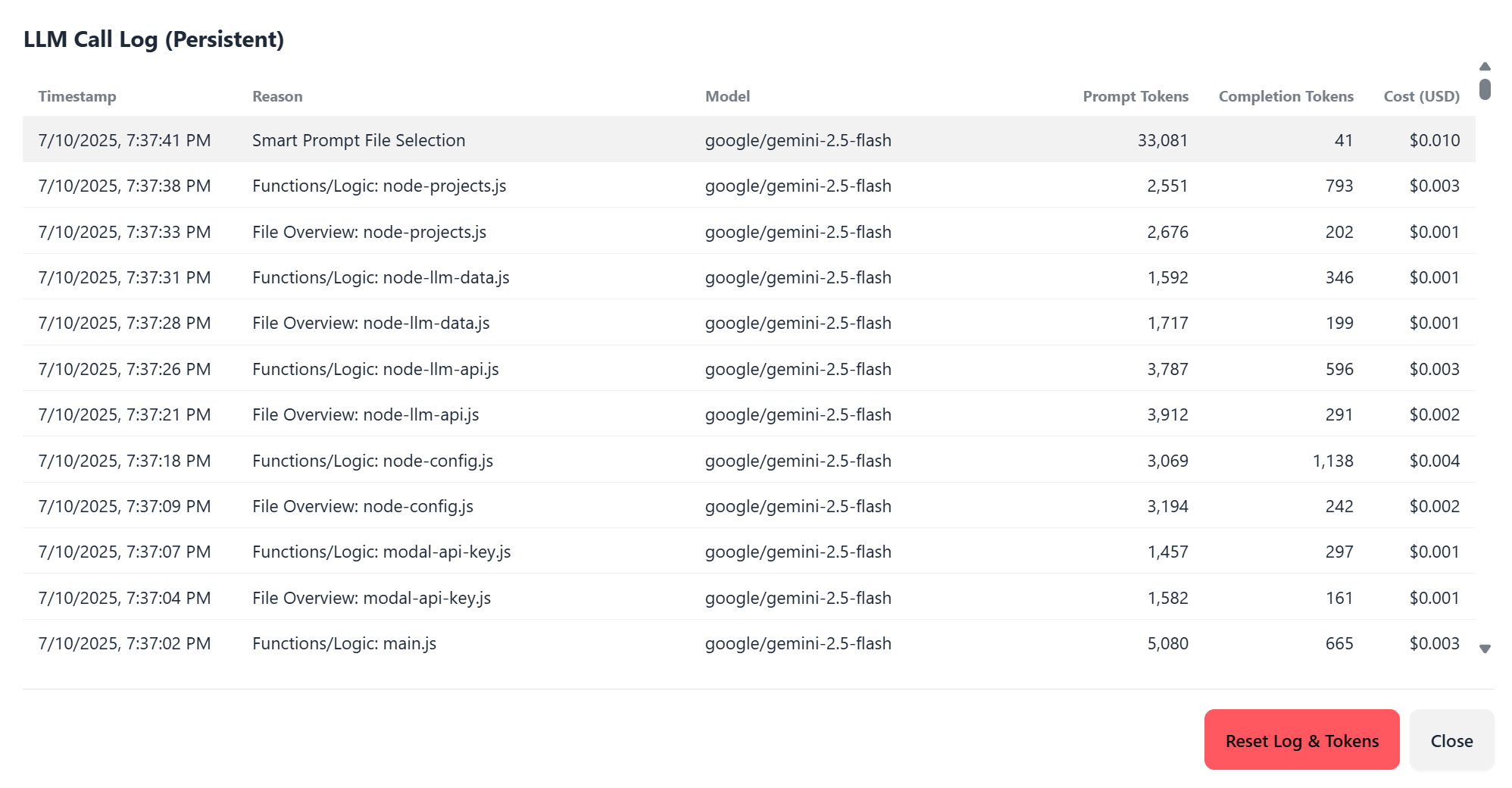
- Detailed LLM Logging: Keep a persistent log of every API call, including the full prompt, response, token counts, and estimated cost.
- File Analysis: Generate and cache summaries or analyses for individual files, helping you build an understanding of your codebase over time.
- Persistent State: The app remembers your open projects, expanded folders, selected files, and open tabs between sessions.
- Cross-Platform: Runs on Windows, macOS, and Linux.

You can either download a pre-built version or build it from the source.
The easiest way to get started is to download the latest pre-built application for your operating system from the GitHub Releases Page.
Requirements:
- Node.js (v18+ recommended)
- npm (included with Node.js)
Steps:
# 1. Clone the repository
git clone https://github.com/yardimli/SmartCodePrompts.git

# 2. Navigate into the directory
cd SmartCodePrompts

# 3. Install dependencies
npm install

# 4. Run the application
npm start
The Electron app will launch automatically.
- Launch the App: Open Smart Code Prompts.
- Add a Project: On the right sidebar, click the "Project" dropdown and select "Add New Project...". Choose a local folder containing a codebase.
- Set Your API Key:
- Click the Set API Key button on the right sidebar.
- Get a key from OpenRouter.ai.
- Paste your key (it starts with
sk-or-...) and save. It is stored securely on your local machine.
- Explore Your Code: Browse the file tree on the left. Click on files to open them in the editor.
- Build a Prompt: Check the boxes next to files in the tree. Their content will be automatically added to the main "Prompt" tab.
- Run a Prompt: Type a question or instruction into the prompt input box at the bottom and click "Run" to send your selected file context and your question to the LLM.
Your security and privacy are paramount.
- All filesystem access is restricted to the project directories you explicitly add.
- Your OpenRouter API key and all application state are stored in a local SQLite database on your machine.
- No files or code are ever sent to any external server, except when you explicitly trigger an LLM action (like running a prompt or analysis), at which point the selected content is sent to OpenRouter.ai.
Pull requests are welcome! For major changes, please open an issue first to discuss what you would like to change. Please make sure to update tests as appropriate.
Feel free to file issues or feature requests for any bugs or potential enhancements.
- UI Framework: Tailwind CSS & DaisyUI
- Icons: Bootstrap Icons
- Editor: Monaco Editor
- Database: better-sqlite3
- Application Framework: Electron
Happy Prompting! 🚀