
Forked from InfiniTime
Full credit and thanks to the original InfiniTime team for their amazing open-source smartwatch firmware project!
RoutineHero is a fun and structured smartwatch experience built for kids, based on the InfiniTime firmware.
As a parent, you define a daily routine made up of activities — like brushing teeth, reading, playtime, etc. — and the watch guides your child throughout the day.
RoutineHero displays these activities visually as segments on a pie chart over an analog-style clock face, giving kids a sense of time and structure in a playful and intuitive way.
Here are two GIFs showcasing RoutineHero on the watch:

Time-lapse

Clock-Timer transitions
Short videos of the app in use:
App on the Play Store: https://play.google.com/store/apps/details?id=com.routinehero
-
🧭 Analog Clock UI with Activity Pie Chart
Each segment of the analog clock represents an activity in the child’s day. -
👨👩👧👦 Parent-Defined Routine
Define your child’s daily routine with a simple config (custom app or BLE tool integration planned). -
🔔 Gentle Time Awareness
Visual reminders help kids understand when it's time to transition to the next task. -
🎨 Kid-Friendly Design
Clean, colorful UI tailored for younger users with simplified interactions. -
💡 Based on InfiniTime
Leverages the powerful open-source firmware platform that runs on PineTime and compatible devices.
RoutineHero runs on devices compatible with InfiniTime, including:
- PineTime (nRF52832)
- Dev boards supporting BLE and compatible display controllers (with porting)
-
Download the latest DFU package from the repo:
doc/dfu/pinetime-mcuboot-app-dfu-1.15.0.zip -
Use a Bluetooth Low Energy (BLE) capable DFU tool to flash the firmware to your PineTime device, for example:
-
Follow the instructions in the DFU tool to upload the firmware to your watch over BLE.
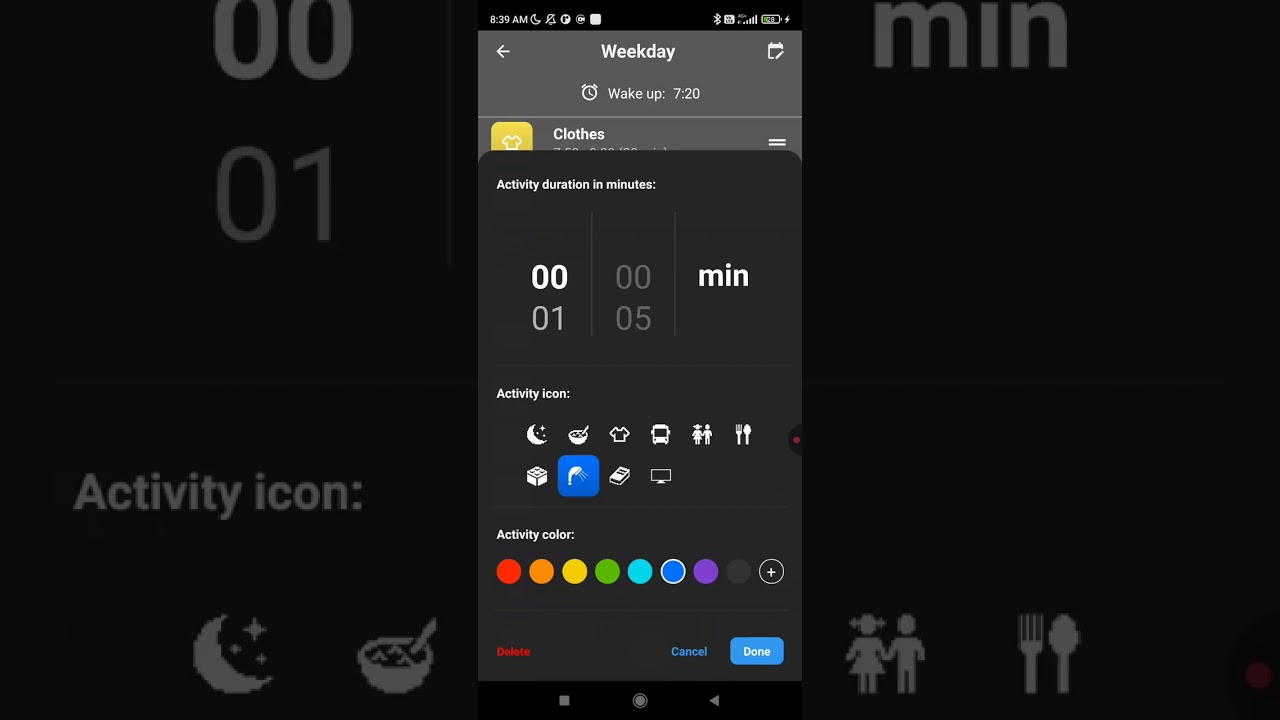
After flashing the watch, use the official RoutineHero Parent App to set up daily routines and activities:
This app lets you:
- Create and manage a daily schedule
- Set icons, names, and durations for each task
- Sync routines wirelessly to the watch
iOS support is planned for the future.
Want to build or customize the firmware yourself?
-
Clone the Repo
git clone https://github.com/trollderiu/InfiniTime-RoutineHero.git cd InfiniTime-RoutineHero -
Build the Firmware
Follow the InfiniTime build instructions, as they apply here too.docker pull --platform linux/amd64 infinitime/infinitime-build docker run --rm -it -v ${PWD}:/sources --user $(id -u):$(id -g) infinitime/infinitime-build
-
Flash to Device
Use your preferred method (DFU, SWD, etc.) to upload to your PineTime or compatible hardware.
This project retains much of the original InfiniTime code, with key changes including:
src/display/RoutineHeroWatchFace.cpp– Custom watchface with pie chart overlaysrc/display/RoutineHeroTimer.cpp– Screen with time left for the current activityresources/images/– Custom icons for kid-friendly interface
More detailed module descriptions coming soon.
Want to help improve RoutineHero? PRs and suggestions are welcome!
Check the Issues tab for bugs and roadmap items.
RoutineHero is powered by:
- InfiniTime – Original firmware base
- LittlevGL (LVGL) – Embedded graphics library
- The open-source community ❤️
RoutineHero inherits the InfiniTime license (Apache 2.0).