Eat2Meet is an Android Application designed to help you find friends in cities that you may be new to! We match you with others who share your general dining preferences and let you take it from there in our custom chat-rooms. If you are hesitant to meet complete strangers, we also allow you to find and chat with friends-of-friends through our social-circle features.

Above is the Eat2Meet login page. Notice that the user interface conforms to Android UI application conventions so that users can enjoy effective, streamlined experiences.
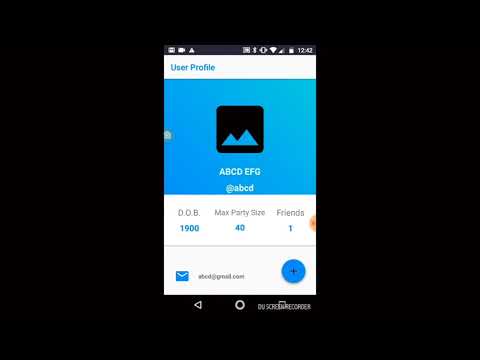
Here is a demo video of the app:
We have gone through quite a few iterations of our design, including a major conceptual pivot. We initially developed an application, PeopleMates, which would help customers consolidate to-go orders but we found that the user group we decided on was too broad and the application lacked an element of social impact. We settled on Eat2Meet, an app that provides a unique and supportive space for people new to a neighborhood, city, etc.

Simple initial design of the Eat2Meet matching page.

Low-Fi prototype additions include a new map background and preferences menu.

Hi-Fi prototype still consists of map background with added current location settings and a more refined preferences menu.

The original map design from PeopleMates.

The original toolbar design from PeopleMates.
Eat2Meet matches users based on their dining preferences and social circles (determined by users at sign-in). In addition, this app allow users to find other Eat2Meeters nearby if location and timing are concerns. In the future, we plan on integrating the Google Maps API in order to make finding locations easier. We also plan on adding features that allow the user to link their account to Facebook so that populating social-circles is more convenient. Real-time syncing for user profiles and chat rooms are powered by Google Firebase Realtime Database.
Be sure to first download and install Android Studio.
Once you have done so, you can clone or download this repo and open it in Android Studio.
Build the project by clicking Build > Make Project.

After a short while, you should see a notification that the build finished.

If you have an Android device, you can connect your device to Android Studio and run the app on your device. If not, you can run the app in an emulator.
To run the app, click Run > Run App.

After doing so, you can choose to run it on your device or on an emulator.
Eat2Meet was created for UC Berkeley's Fall 2018 CS160 class (Project Team I). The creators of this project are Ilina Bhaya-Grossman, Yumeng Ge, Rishi Satoor, and Jonathan Sun.