
Router Protocol is a solution introduced to address the issues hindering the usability of cross-chain liquidity migration in the DeFi ecosystem. It acts as a bridge connecting various layer 1 and layer 2 blockchains, allowing for the flow of contract-level data across them. The Router Protocol can either transfer tokens between chains or initiate operations on one chain and execute them on another.
Please check the official documentation of Router Protocol
If this repository helps you build cross-chain dapps faster and easier - please star this project, every star makes us very happy!
If you need help or have other some questions - don't hesitate to write in our discord channel and we will check asap. Discord link. The best thing about this is the super active community ready to help at any time! We help each other.
git clone https://github.com/router-resources/ERC20-Cookbook.git- 🧭 Table of contents
What is an ERC20 Token ?How to make a simple ERC20 Token ?Need for CrossChain ?What is a CrossChain ERC20 Token ?Understanding Router CrossTalkCrossTalk CheatsheetInitiating the ContractCreating state variables and the constructorSetting up the Destination Contract on the Source ContractTransferring tokens from a source chain to a destination chainHandling a cross-chain requestGetting metadata for the requestHandling the acknowledgement received from destination chainFull Code- 🚀 Steps
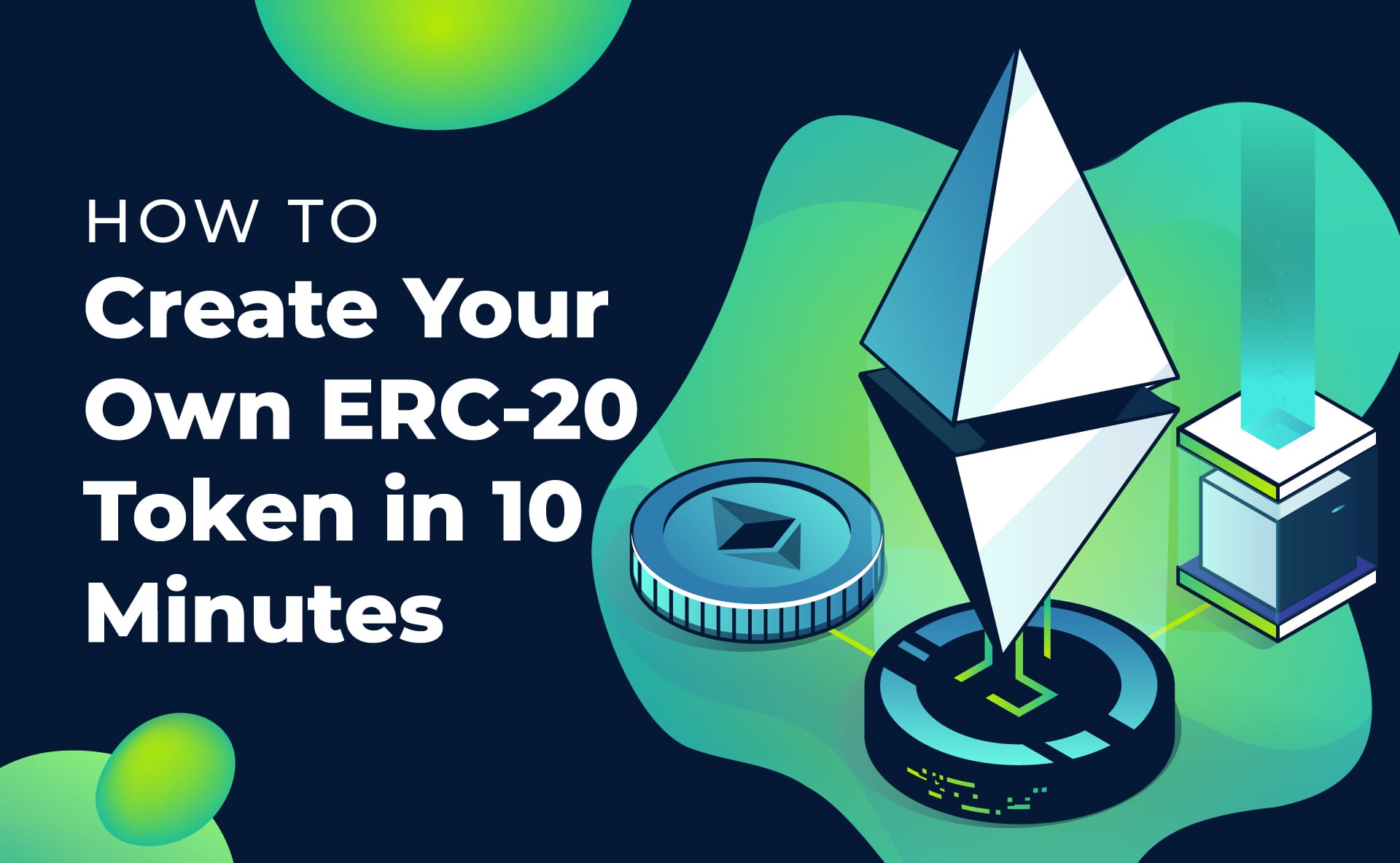
ERC20 Tokens are digital assets that are created using the Ethereum blockchain technology. They are programmable tokens that can be used to represent various types of assets, such as loyalty points, shares of stock, or even cryptocurrencies. ERC20 Tokens are fungible, which means that each token has the same value and can be exchanged for another token of the same value.
The "ERC20" part of the name refers to the technical standard that is used to create and manage these tokens. This standard defines the rules for creating new tokens and the functions that can be used to transfer and manage them.
ERC20 is a standard for creating fungible tokens on the Ethereum blockchain. The ERC20 standard is like a set of rules that all tokens on the Ethereum blockchain must follow. Think of it like a recipe for making a soup - you need certain ingredients and instructions to make sure it turns out right.
ERC20 defines a specific set of functions that tokens must have, like the ability to be transferred from one address to another, the ability to check the token balance of an address, and the ability to approve another address to transfer tokens on behalf of the owner. These functions are like different steps in the recipe.
Some of the functions included in the ERC20 standard are:
totalSupply: This function returns the total number of tokens in existence.
balanceOf: This function returns the token balance of a specific address.
transfer: This function allows the owner of a token to transfer tokens to another address.
approve: This function allows an address to approve another address to transfer tokens on its behalf.
allowance: This function returns the amount of tokens that an approved address is allowed to transfer.
transferFrom: This function allows an approved address to transfer tokens on behalf of the owner.
Instead of writing all the code for creating an ERC20 token from scratch, developers can use OpenZeppelin's pre-written code to make their own tokens. This can save a lot of time and effort and can also help ensure that the code works correctly and is secure.
With OpenZeppelin, developers can just follow the pre-written code to create their own ERC20 tokens without having to start from scratch. It's kind of like using pre-made ingredients to cook a meal - instead of making each ingredient from scratch, you can just use pre-made ingredients to cook something faster and easier.
Simple ERC20 contract using Openzeppelin
// SPDX-License-Identifier: MIT
pragma solidity ^0.8.9;

import "@openzeppelin/contracts/token/ERC20/ERC20.sol";
import "@openzeppelin/contracts/token/ERC20/extensions/ERC20Burnable.sol";
import "@openzeppelin/contracts/access/Ownable.sol";

contract MyToken is ERC20, ERC20Burnable, Ownable {
    constructor() ERC20("MyToken", "MTK") {}

    function mint(address to, uint256 amount) public onlyOwner {
        _mint(to, amount);
    }
}
You can use the above code and deploy using Remix IDE and Hurray !, you've made your own crypto currency.
Bitcoin

Back in 2009, Bitcoin was created by an unknown person called Satoshi Nakamoto, introducing the concept of decentralization. It eliminated the need for a central authority or intermediary to verify transactions, making it possible for people to transact with each other directly.
Problem with Bitcoin
Bitcoin was not designed to support smart contracts, which limits its ability to create complex decentralized applications. The inability to deploy smart contracts on the Bitcoin blockchain, makes the scope of decentralization , limited to a very small area.
Ethereum

Ethereum is a blockchain, which serves as a state machine where people can deploy smart contracts, This enables people to build Dapps (Decentralised Applications on the top of Ethereum"
Problem with Ethereum
Ethereum is not scalable.The cost of gas fees which one need to pay to interact with the smart contracts is quite high. This hinders the businesses of the Dapps buit on the top of Ethereum.
L2 Solutions of Ethereum

Many L2 solutions for Ethereum are created, keeping in mind Ethereum isn't scalable. The gas fee which one need to pay in order to intereact with the smart conracts is significantly cheaper than Ethereum.
Problem with L2 solutions of Ethereum
L2 solutions solves the problem of scalability , but they have much lesser nodes as compared to Ethereum making them less decentralised and secure than Ethereum.
Blockchain Trilemma

So, we can clearly see, solving scalability , degrades security and decentralisation and having more decentralisation and security results in making the chain less scalable .
This is known as Blockchain Trilemma, where it's not possible to ensure scalability, decentralisation and security at the same time .
Need for Crosschain
Going CrossChain helps us leverage all these 3 features (Decentralisation + Scalabity + Security ) used for different operations performed in a single Dapp. This is exactly , where the Router comes in ! It is an interoperability layer to connect blockchains with a goal to integrate all the blockchains within the ecosystem.

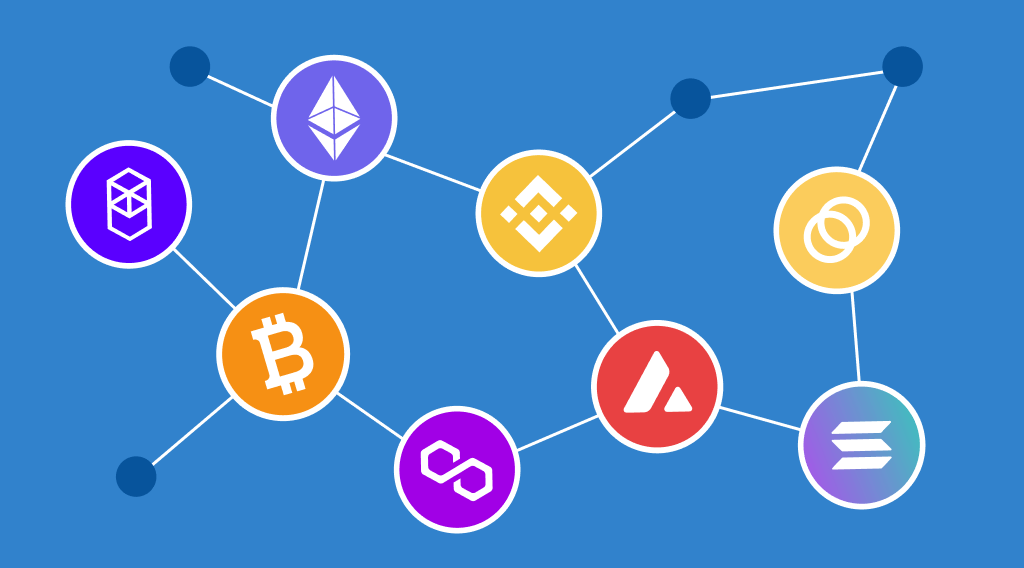
CrossChain ERC20 tokens are tokens that can exist and be traded on multiple different blockchain networks. This means that an ERC20 token created on one blockchain network, such as Ethereum, can be moved to and traded on another blockchain network, such as Binance Smart Chain or Polygon.
Imagine you have an ERC20 token on the Ethereum blockchain that represents a digital asset. If you want to sell or trade that token on another blockchain network, you would need to create a new token on that network, which can be time-consuming and costly. However, with CrossChain ERC20 tokens, you can simply transfer the original token to the new blockchain network, enabling you to sell or trade it without having to go through the process of creating a new one.
Overview
Router's CrossTalk library is a tool that makes it easy for different blockchains to communicate with each other. This library is designed to work with Router's infrastructure, and allows contracts on one blockchain to talk to contracts on another blockchain. You can use this library in your own development projects to make it easier for your contracts to communicate across different blockchains, without disrupting other parts of your project.
Gateway Contracts
Gateway contracts are contracts which are pre-deployed on supported blockchains for cross-chain communication.The source chain's gateway contract communicates with the destination chain's gateway contract, enabling communication between application contracts deployed on different chains
CrossTalk Workflow

When a user wants to execute a cross-chain request, they call the "iSend" function on the Router's Gateway contract. They pass the payload of data to be transferred from the source chain to the destination chain along with the necessary parameters. The "iSend" function sends the data to the destination chain where the user's contract with the "iRecieve" function is waiting to receive it.Once the data is received, the "iRecieve" function processes it on the destination chain. After processing the data, the destination chain sends an acknowledgment back to the source chain where "iAck" function in the user's contract is used to handle it.
Understanding CrossTalk Functions
Router’s Gateway contracts have a function named iSend that facilitates the transmission of a cross-chain message. Whenever users want to execute a cross-chain request, they can call this function by passing the payload to be transferred from the source to the destination chain along with the required parameters.
In addition to calling the aforementioned function, CrossTalk users will also have to implement two functions on their contracts:
To handle a cross-chain request on the destination chain, users are required to include a iRecieve function on their destination chain contracts. To process the acknowledgment of their requests on the source chain, user will have to implement a iAck function on their source chain contracts.
iSend parameters
-
version: Current version of Gateway contract which can be queried from the Gateway contract using the following function.
-
routeAmount: If one wants to transfer Route tokens along with the call, they will have to pass the amount of tokens to be transferred here.
-
routeRecipient: If one wants to transfer Route tokens along with the call, they will have to pass the address of recipient on the destination chain to which Route tokens will be minted on destination chain.
-
destChainId: Chain ID of the destination chain in string format.
-
requestMetadata: Some static information for the request. This is created so that iDapps don’t have to encode it on-chain, they can just send it as a parameter to their iDapp depending on the destination chain Id passed by the user.
-
requestPacket: This is bytes encoded string consisting of two parameters:
a. destContractAddress: This is the address of the smart contract on the destination chain which will handle the payload that you send from the source chain to the destination chain. b. payload: This is bytes containing the payload that you want to send to the destination chain. This can be anything depending on your utility. In this case ,it is the recipient address on destination chain and the amount of tokens to be sent on the destination chain
iRecieve
This function is called by the Gateway contract on the destination chain, which is triggered when a cross-chain transfer request is sent to the destination chain. This function receives 3 parameters:-
-
requestSender: A bytes array that represents the address of the contract on the source chain that initiated the cross-chain transfer request.
-
packet: A bytes array that containing the payload we sent from the source chain.
-
srcChainId: A string that represents the ID of the source chain from which the cross-chain transfer request originated.
Effortlessly transfer ERC-20 tokens from one chain to another. Made using Router Cross-Talk.
This project is built with Router CrossTalk
Router Protocol is a solution introduced to address the issues hindering the usability of cross-chain liquidity migration in the DeFi ecosystem. It acts as a bridge connecting various layer 1 and layer 2 blockchains, allowing for the flow of contract-level data across them. The Router Protocol can either transfer tokens between chains or initiate operations on one chain and execute them on another.
Please check the official documentation of Router Protocol
For initiating the smart contract named "CrossChainERC20", the contract imports four external contracts :-
-
IDapp.sol
-
IGateway.sol
-
Utils.sol
-
ERC20.sol
The "IDapp.sol" and "IGateway.sol" contracts are imported from the "evm-gateway-contract/contracts" and "ERC20.sol" from "openzeppelin/contracts/token".The "CrossChainERC20" contract implements the "IDapp" and "ERC20.sol" contract by inheriting from them. This means that the "CrossChainERC20" contract must have the functions and variables defined in the "IDapp" contract. By importing and implementing these contracts, the "CrossChainERC20" contract will have access to their functionality .
//SPDX-License-Identifier: UNLICENSED
pragma solidity >=0.8.0 <0.9.0;

import "@routerprotocol/evm-gateway-contracts/contracts/IDapp.sol";
import "@routerprotocol/evm-gateway-contracts/contracts/IGateway.sol";
import "@routerprotocol/evm-gateway-contracts/contracts/Utils.sol";
import "@openzeppelin/contracts/token/ERC20/ERC20.sol";
import "@openzeppelin/contracts/token/ERC20/utils/SafeERC20.sol";

contract CrossChainERC20 is ERC20, IDapp {
}The smart contract has the following state variables:
-
onwer - an address variable which stores the address from which the contract has been deployed.
-
gatewayContract - an address variable which holds the address of the gateway contract. Gateway contracts are contracts which are pre-deployed on supported blockchains for cross-chain communication.The source chain's gateway contract communicates with the destination chain's gateway contract, enabling communication between application contracts deployed on different chains. Find GatewayContract Addresses here
-
destGasLimit - a uint64 variable which indicates the amount of gas required to execute the function that will handle cross-chain requests on the destination chain.
-
ourContractOnChains - a mapping which maps a chain type and chain ID to the address of CrossChainERC20 contract deployed on different chains. This mapping will be used to set the address of the destination contract to the source contract and visa versa
The constructor of the smart contract takes three parameters:
-
gatewayAddress - an address variable which holds the address of the gateway contract.
-
feePayerAddress - a string variable which holds the address on the Router Chain from which the fees is deducted.
Inside ERC20 contract contructor, pass the name of your token followed by its symbol.
The smart contract extends the ERC20 standard and includes all the required functions and variables such as balanceOf, totalSupply, mint, burn and others.
address public owner;

  IGateway public gatewayContract;

  uint64 public _destGasLimit;

  mapping(string => bytes) public ourContractOnChains;

  constructor(
    address payable gatewayAddress,
    string memory feePayerAddress
  ) ERC20("My Token", "MTK") {
    gatewayContract = IGateway(gatewayAddress);
    owner = msg.sender;
    gatewayContract.setDappMetadata(feePayerAddress);
  }
setContractOnChain:-
The given code defines a setter function setContractOnChain which allows the owner to set the address of a destination contract on the source chain and visa versa. The function takes 2 parameters:
chainId - a string which represents the ID of the chain where the contract is deployed. contractAddress - an address variable which holds the address of the CrossChainERC20 contract deployed on the other chain we want to send the tokens to. The function first checks whether the caller is the owner by comparing the msg.sender with the admin address variable. If the caller is not the owner, the function will revert with an error message "only owner".
If the caller is the owner, the function will convert the contractAddress to bytes using the toBytes function and store it in the ourContractOnChains mapping using the chainType and chainId as the keys.
 function setContractOnChain(
    string memory chainId,
    address contractAddress
  ) external {
    require(msg.sender == owner, "only owner");
    ourContractOnChains[chainId] = toBytes(contractAddress);
}transferCrossChain:-
This function allows a user to transfer their tokens from their account on source chain to their account on a destination chain. The function burns the specified amount of tokens from the user's account, creates a cross-chain communication request to the destination chain, and passes the transfer parameters as payload in the request.
The function accepts the following parameters:
-
amount: A uint256 variable specifying the amount of tokens we want to transfer to the recipient on the destination chain
-
_dstchainId: A string representing the ID of the destination chain.
-
recipient: Wallet address on the destination chain we want to transfer our tokens to.
-
requestMetadata: Some static information for the request. This is created so that iDapps don’t have to encode it on-chain, they can just send it as a parameter to their iDapp depending on the destination chain Id passed by the user. The request metadata is a bytes encoded string consisting of the following parameters:
    uint64 destGasLimit;
    uint64 destGasPrice;
    uint64 ackGasLimit;
    uint64 ackGasPrice;
    uint128 relayerFees;
    uint8 ackType;
    bool isReadCall;
    string asmAddress;
The function burns the amount of tokens specified in the variable "amount" from the user's account and creates a cross-chain communication request to the destination chain.
The function calls the iSend Function of the Gateway Contract to generate the cross-chain communication request to the destination chain.The iSend Function function is used to send a request to the Destination Chain .To execute a cross-chain request, users can call this function and pass the payload and required parameters from the source to the destination chain.
iSend Function function takes in these parameters:-
-
version: Current version of Gateway contract which can be queried from the Gateway contract using the following function.
-
routeAmount: If one wants to transfer Route tokens along with the call, they will have to pass the amount of tokens to be transferred here.
-
routeRecipient: If one wants to transfer Route tokens along with the call, they will have to pass the address of recipient on the destination chain to which Route tokens will be minted on destination chain.
-
destChainId: Chain ID of the destination chain in string format.
-
requestMetadata: Some static information for the request. This is created so that iDapps don’t have to encode it on-chain, they can just send it as a parameter to their iDapp depending on the destination chain Id passed by the user.
-
requestPacket: This is bytes encoded string consisting of two parameters:
a. destContractAddress: This is the address of the smart contract on the destination chain which will handle the payload that you send from the source chain to the destination chain. b. payload: This is bytes containing the payload that you want to send to the destination chain. This can be anything depending on your utility. In this case ,it is the recipient address on destination chain and the amount of tokens to be sent on the destination chain
function transferCrossChain(
    uint256 amount,
    string calldata destChainId,
    string calldata recipient,
    bytes calldata requestMetadata
  ) public payable {
    require(
      keccak256(ourContractOnChains[destChainId]) !=
        keccak256(toBytes(address(0))),
      "contract on dest not set"
    );

    require(
      balanceOf(msg.sender) >= amount,
      "ERC20: Amount cannot be greater than the balance"
    );


    _burn(msg.sender, amount);

    // encoding the data that we need to use on destination chain to mint the tokens there.
    bytes memory packet = abi.encode(recipient, amount);
    bytes memory requestPacket = abi.encode(
      ourContractOnChains[destChainId],
      packet
    );

    gatewayContract.iSend{ value: msg.value }(
      1,
      0,
      string(""),
      destChainId,
      requestMetadata,
      requestPacket
    );
}iReceive:-
This function is called by the Gateway contract on the destination chain, which is triggered when a cross-chain transfer request is sent to the destination chain. This function receives 3 parameters:-
-
requestSender: A bytes array that represents the address of the contract on the source chain that initiated the cross-chain transfer request.
-
packet: A bytes array that containing the payload we sent from the source chain.
-
srcChainId: A string that represents the ID of the source chain from which the cross-chain transfer request originated.
The function first checks that the call is made only by the Gateway contract and that the request is received from our contract on the source chain. If the conditions are not met, the function will revert the transaction.
The packet that was sent with the cross-chain transfer request contains recipient's address, the amount of tokens to be minted on the destination chain. The function decodes the packet using abi.decode() function.
After decoding the packet, the function uses the _mint function of the ERC-20 contract from the OpenZeppelin library to mint the ERC-20 tokens to the recipient's address on the destination chain.
Finally, the function returns an empty string. Note : We have to return atleast an empty string as per the function definition.
function iReceive(
    string memory requestSender,
    bytes memory packet,
    string memory srcChainId
  ) external override returns (bytes memory) {
    require(msg.sender == address(gatewayContract), "only gateway");
    require(
      keccak256(ourContractOnChains[srcChainId]) ==
        keccak256(bytes(requestSender))
    );

    (bytes memory recipient, uint256 amount) = abi.decode(
      packet,
      (bytes, uint256)
    );
    _mint(toAddress(recipient), amount);

    return abi.encode(srcChainId);
}Some static information for the request. This is created so that iDapps don’t have to encode it on-chain, they can just send it as a parameter to their iDapp depending on the destination chain Id passed by the user. The request metadata is a bytes encoded string consisting of the following parameters:
-
destGasLimit: Gas limit required for execution of the request on the destination chain. This can be calculated using tools like hardhat-gas-reporter.
-
destGasPrice: Gas price of the destination chain. This can be calculated using the RPC of destination chain. If you don’t want to calculate it, just send
0in its place and Router Chain will handle the real time gas price for you. -
ackGasLimit: Gas limit required for execution of the acknowledgement coming from the destination chain back on the source chain. This can be calculated using tools like hardhat-gas-reporter.
-
ackGasPrice: Gas price of the destination chain. This can be calculated using the RPC of source chain as shown in the above snippet.
-
relayerFees: This is similar to priority fees that one pays on other chains. Router chain relayers execute your requests on the destination chain. So if you want your request to be picked up by relayer faster, this should be set to a higher number. If you pass really low amount, the Router chain will adjust it to some minimum amount.
-
ackType: When the contract calls have been executed on the destination chain, the iDapp has the option to get an acknowledgement back to the source chain.
We provide the option to the user to be able to get this acknowledgement from the router chain to the source chain and perform some operation based on it.
-
ackType = 0: You don’t want the acknowledgement to be forwarded back to the source chain.
-
ackType = 1: You only want to receive the acknowledgement back to the source chain in case the calls executed successfully on the destination chain and perform some operation after that.
-
ackType = 2: You only want to receive the acknowledgement back to the source chain in case the calls errored on the destination chain and perform some operation after that.
-
ackType = 3: You only want to receive the acknowledgement back to the source chain in both the cases (success and error) and perform some operation after that.
-
isReadCall: We provide you the option to query a contract from another chain and get the data back on the source chain through acknowledgement. If you just want to query a contract on destination chain, set this to
true. -
asmAddress: We also provide modular security framework for creating an additional layer of security on top of the security provided by Router Chain. These will be in the form of smart contracts on destination chain. The address of this contract needs to be passed in the form of string in this variable.
The request metadata can be constructed using the following code:
function getRequestMetadata(
    uint64 destGasLimit,
    uint64 destGasPrice,
    uint64 ackGasLimit,
    uint64 ackGasPrice,
    uint128 relayerFees,
    uint8 ackType,
    bool isReadCall,
    string calldata asmAddress
  ) public pure returns (bytes memory) {
    bytes memory requestMetadata = abi.encodePacked(
      destGasLimit,
      destGasPrice,
      ackGasLimit,
      ackGasPrice,
      relayerFees,
      ackType,
      isReadCall,
      asmAddress
    );
    return requestMetadata;
}iAck:-
The iAck function is a public function that needs to be implemented in the contract to satisfy the IDapp interface. The function takes three parameters: eventIdentifier, execFlags, and execData . However, since we are only implementing an empty function, we do not need to use these parameters.
The iAck function does not perform any operation here. It is implemented as an empty function and only serves as a placeholder to satisfy the interface requirements.
Therefore, the iAck function should be implemented with an empty body as shown in the code provided.
function iAck(
    uint256 requestIdentifier,
    bool execFlag,
    bytes memory execData
  ) external override {}
// SPDX-License-Identifier: UNLICENSED
pragma solidity >=0.8.0 <0.9.0;

import "@routerprotocol/evm-gateway-contracts/contracts/IDapp.sol";
import "@routerprotocol/evm-gateway-contracts/contracts/IGateway.sol";
import "@routerprotocol/evm-gateway-contracts/contracts/Utils.sol";
import "@openzeppelin/contracts/token/ERC20/ERC20.sol";
import "@openzeppelin/contracts/token/ERC20/utils/SafeERC20.sol";

/// @title XERC20
/// @author Yashika Goyal
/// @notice This is a cross-chain ERC-20 smart contract to demonstrate how one can
/// utilise Router CrossTalk for making cross-chain tokens
contract XERC20 is ERC20, IDapp {
  // address of the owner
  address public owner;

  // address of the gateway contract
  IGateway public gatewayContract;

  // gas limit required to handle cross-chain request on the destination chain
  uint64 public _destGasLimit;

  // chain id => address of our contract in bytes
  mapping(string => bytes) public ourContractOnChains;

  constructor(
    address payable gatewayAddress,
    string memory feePayerAddress
  ) ERC20("My Token", "MTK") {
    gatewayContract = IGateway(gatewayAddress);
    owner = msg.sender;

    //minting 20 tokens to deployer initially for testing
    _mint(msg.sender, 20);

    gatewayContract.setDappMetadata(feePayerAddress);
  }

  /// @notice function to set the fee payer address on Router Chain.
  /// @param feePayerAddress address of the fee payer on Router Chain.
  function setDappMetadata(string memory feePayerAddress) external {
    require(msg.sender == owner, "only owner");
    gatewayContract.setDappMetadata(feePayerAddress);
  }

  /// @notice function to set the Router Gateway Contract.
  /// @param gateway address of the gateway contract.
  function setGateway(address gateway) external {
    require(msg.sender == owner, "only owner");
    gatewayContract = IGateway(gateway);
  }

  function mint(address account, uint256 amount) external {
    require(msg.sender == owner, "only owner");
    _mint(account, amount);
  }

  /// @notice function to set the address of our ERC20 contracts on different chains.
  /// This will help in access control when a cross-chain request is received.
  /// @param chainId chain Id of the destination chain in string.
  /// @param contractAddress address of the ERC20 contract on the destination chain.
  function setContractOnChain(
    string memory chainId,
    address contractAddress
  ) external {
    require(msg.sender == owner, "only owner");
    ourContractOnChains[chainId] = toBytes(contractAddress);
  }

  /// @notice function to generate a cross-chain token transfer request.
  /// @param destChainId chain ID of the destination chain in string.
  /// @param recipient address of the recipient of tokens on destination chain
  /// @param amount amount of tokens to be transferred cross-chain
  /// @param requestMetadata abi-encoded metadata according to source and destination chains
  function transferCrossChain(
    uint256 amount,
    string calldata destChainId,
    string calldata recipient,
    bytes calldata requestMetadata
  ) public payable {
    require(
      keccak256(ourContractOnChains[destChainId]) !=
        keccak256(toBytes(address(0))),
      "contract on dest not set"
    );

    require(
      balanceOf(msg.sender) >= amount,
      "ERC20: Amount cannot be greater than the balance"
    );

    // burning the tokens from the address of the user calling this function
    _burn(msg.sender, amount);

    // encoding the data that we need to use on destination chain to mint the tokens there.
    bytes memory packet = abi.encode(recipient, amount);
    bytes memory requestPacket = abi.encode(
      ourContractOnChains[destChainId],
      packet
    );

    gatewayContract.iSend{ value: msg.value }(
      1,
      0,
      string(""),
      destChainId,
      requestMetadata,
      requestPacket
    );
  }

  /// @notice function to get the request metadata to be used while initiating cross-chain request
  /// @return requestMetadata abi-encoded metadata according to source and destination chains
  function getRequestMetadata(
    uint64 destGasLimit,
    uint64 destGasPrice,
    uint64 ackGasLimit,
    uint64 ackGasPrice,
    uint128 relayerFees,
    uint8 ackType,
    bool isReadCall,
    string calldata asmAddress
  ) public pure returns (bytes memory) {
    bytes memory requestMetadata = abi.encodePacked(
      destGasLimit,
      destGasPrice,
      ackGasLimit,
      ackGasPrice,
      relayerFees,
      ackType,
      isReadCall,
      asmAddress
    );
    return requestMetadata;
  }

  /// @notice function to handle the cross-chain request received from some other chain.
  /// @param requestSender address of the contract on source chain that initiated the request.
  /// @param packet the payload sent by the source chain contract when the request was created.
  /// @param srcChainId chain ID of the source chain in string.
  function iReceive(
    string memory requestSender,
    bytes memory packet,
    string memory srcChainId
  ) external override returns (bytes memory) {
    require(msg.sender == address(gatewayContract), "only gateway");
    require(
      keccak256(ourContractOnChains[srcChainId]) ==
        keccak256(bytes(requestSender))
    );

    (bytes memory recipient, uint256 amount) = abi.decode(
      packet,
      (bytes, uint256)
    );
    _mint(toAddress(recipient), amount);

    return abi.encode(srcChainId);
  }

  /// @notice function to handle the acknowledgement received from the destination chain
  /// back on the source chain.
  /// @param requestIdentifier event nonce which is received when we create a cross-chain request
  /// We can use it to keep a mapping of which nonces have been executed and which did not.
  /// @param execFlag a boolean value suggesting whether the call was successfully
  /// executed on the destination chain.
  /// @param execData returning the data returned from the handleRequestFromSource
  /// function of the destination chain.
  function iAck(
    uint256 requestIdentifier,
    bool execFlag,
    bytes memory execData
  ) external override {}

  /// @notice function to convert type address into type bytes.
  /// @param a address to be converted
  /// @return b bytes pertaining to the address
  function toBytes(address a) public pure returns (bytes memory b) {
    assembly {
      let m := mload(0x40)
      a := and(a, 0xFFFFFFFFFFFFFFFFFFFFFFFFFFFFFFFFFFFFFFFF)
      mstore(add(m, 20), xor(0x140000000000000000000000000000000000000000, a))
      mstore(0x40, add(m, 52))
      b := m
    }
  }

  /// @notice Function to convert bytes to address
  /// @param _bytes bytes to be converted
  /// @return addr address pertaining to the bytes
  function toAddress(bytes memory _bytes) internal pure returns (address addr) {
    bytes20 srcTokenAddress;
    assembly {
      srcTokenAddress := mload(add(_bytes, 0x20))
    }
    addr = address(srcTokenAddress);
  }
}Step 1) Open Remix IDE https://remix.ethereum.org/
Step 2) Create a new workspace

Step 3) Create a new file, give a name and save it with ".sol" extension

Step 4) Copy the code from CrossChainERC20.sol and paste it in the editing area

Step 5) Install Metamask extension from https://metamask.io/download/ and to your browser

Step 6) Open the extension and click on Create Wallet

Step 7) Set a password for your wallet

Step 8) Select either of the 2 options. Securing your wallet is recommended.But for the time being, we can go with the 1st option.

Step 9) Connect to Mumbai Network :-
- Go to https://mumbai.polygonscan.com/
- Scroll down to the bottom end and click on Add Mumbai Network

Step 10) Connect to Fuji Network :-
- Go to https://testnet.snowtrace.io/
- Scroll down to the bottom end and click on Add C-Chain ( Fuji ) Network

Step 11) Come to Remix again and compile the code ( ctrl + s )
Step 12) Select Inject Provider from Environments in Deployments section

Step 13) Switch to Fuji Network and copy your wallet address

Step 14) Add faucet to your account by visiting https://faucet.avax.network/ and pasting your wallet address and then click on REQUEST 2 AVAX

Step 15) Switch to Mumbai Network https://mumbai.polygonscan.com/ and copy your wallet address
Step 16) Add faucet to your account by visiting https://faucet.polygon.technology/ and pasting your wallet address and then click on Submit

Step 17) Come back to Remix and switch to Fuji Network
Step 18) Deploy the contract by passing Gateway address corresponding to Fuji and feePayer as your wallet address
Step 19) Switch to Mumbai Network and deploy the contract by passing Gateway address corresponding to Mumbai and keeping the feepayer same or differeent than on Fuji
Gateway addresses for respective chains can be found here https://lcd.testnet.routerchain.dev//router-protocol/router-chain/multichain/chain_config
Step 20) Switch to Fuji Network again and call setContractOnChain
Function of the Fuji contract passing in 80001 and address of the Mumbai contract deployed respectively

Step 21) Switch to Mumbai Network and call setContractOnChain
Function of the Mumbai contract passing in 43113 and address of the Fuji Contract Deployed
Step 22) Switch to Fuji Network and mint some ERC20 Tokens through mint function of the Fuji contract deployed

Step 23) Generate request metadata by passing in the following parameters to getRequestMetadata function on Fuji Contract and calling it.

Step 24) Call TransferCrossChain function of the Fuji contract deployed , passing in the amount of tokens you want to send in amount ,80001 in destChainId, Wallet Address you want to send the tokens to on Mumbai in recipient as the first three parameters .

Step 24) Go to getRequestMetadata function and copy the generated Metadata and paste it as the 4th parameter in transferCrossChain function and click on call
Step 25) Visit Router Testnet Explorer https://explorer.testnet.routerchain.dev/feePayer and switch to Router Testnet by clicking on switch

Step 26) Search for your Fuji Contract address and click on approve


Step 27) Come to CrossChain section and find your transaction.

Step 28) Open your transaction and wait till all 5 checks are green in Destination Timeline

Step 29) Call the function , totalSupply of the Mumbai contract deployed to see the ERC20 tokens transferred
Step 30) Earn your NFT Certificate . Fill the below form.