




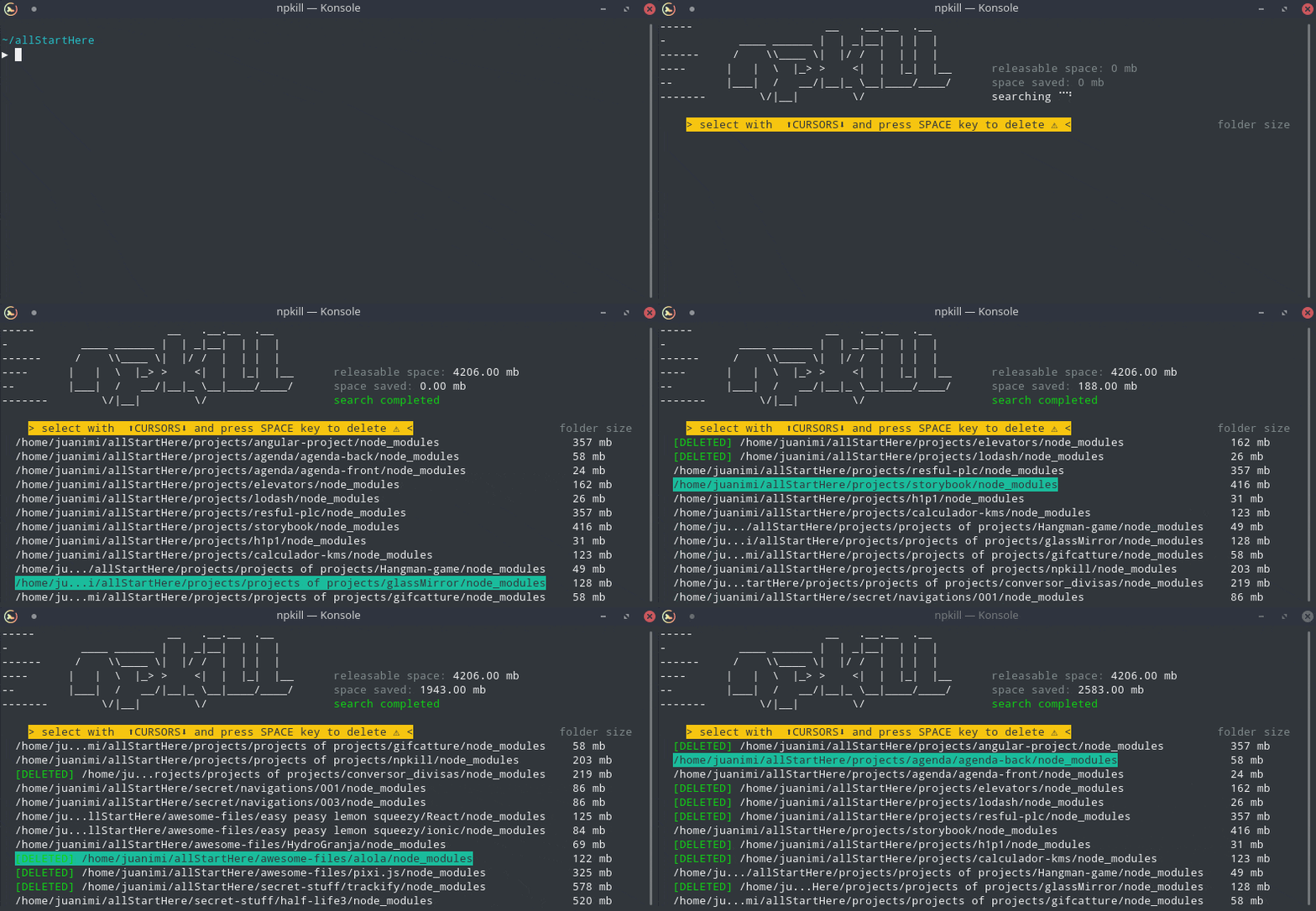
This tool allows you to list any node_modules directories in your system, as well as the space they take up. You can then select which ones you want to erase to free up space. Yay!
-
Clear space: Get rid of old and dusty node_modules cluttering up your machine.
-
Very fast: NPKILL is written in TypeScript, but searches are performed at a low level, improving performance greatly.
-
Easy to use: Say goodbye to lengthy commands. Using npkill is as simple as reading a list of your node_modules, and pressing Del to get rid of them. Could it be any easier? ;)
-
Minified: It barely has any dependencies.
$ npm i -g npkillUnix users may need to run the command with sudo
$ npkillBy default, npkill will scan for node_modules starting at the path where npkill command is executed.
Move between the listed folders with ↓ ↑, and use Space to delete the selected folder (v0.2.2 and below the key was Del).
To exit, Q or Ctrl + c if you're brave.
| ARGUMENT | DESCRIPTION |
|---|---|
| -c, --bg-color | Change row highlight color. (Available: blue, cyan, magenta, white, red and yellow) |
| -d, --directory | Set the directory from which to begin searching. By default, starting-point is . |
| -D, --delete-all | CURRENTLY DISABLED. Automatically delete all node_modules folders that are found. |
| -e, --show-errors | Show error messages related to the search if any |
| -f, --full | Start searching from the home of the user (example: "/home/user" in linux) |
| -gb | Show folders in Gigabytes instead of Megabytes. |
| -h, --help, ? | Show this help page and exit |
| -v, --version | Show npkill version |
Warning: In future versions some commands may change
- Search node_modules directories in your projects directory:
npkill -d ~/projects

# other alternative:
cd ~/projects
npkill- Delete all node_modules that have sneaked into your backups, and show errors if any occur:
npkill -d ~/backups/ -e- Release 0.1.0 !
- Improve code
- Improve performance
- Improve performance even more!
- Reduce dependencies to be a more minimalist module
- Allow the search for other types of directories (targets)
- Allow to filter by directories that have not been used in a period of time
- Create option for displaying directories in tree format
- Add some menus
- Periodic and automatic cleaning (?)
- Sometimes, CLI is blocked while folder is deleting.
- (SOLVED) Performance issues when searching from high level directories (like / in linux).
- (SOLVED) Sometimes text collapses when updating the cli.
- (SOLVED) Analyzing the size of the directories takes longer than it should.
- (SOLVED) State "searching..." does not change even if search has been completed
If you find any bugs, don't hesitate and open an issue :)
Available soon
MIT © Nya García Gallardo and Juan Torres Gómez
🐱🐤