ShellShelf is a premium, self-hosted manager for your shell scripts and commands. It transforms your collection of snippets into a powerful, serve-able library with a stunning "Matrix-inspired" UI.
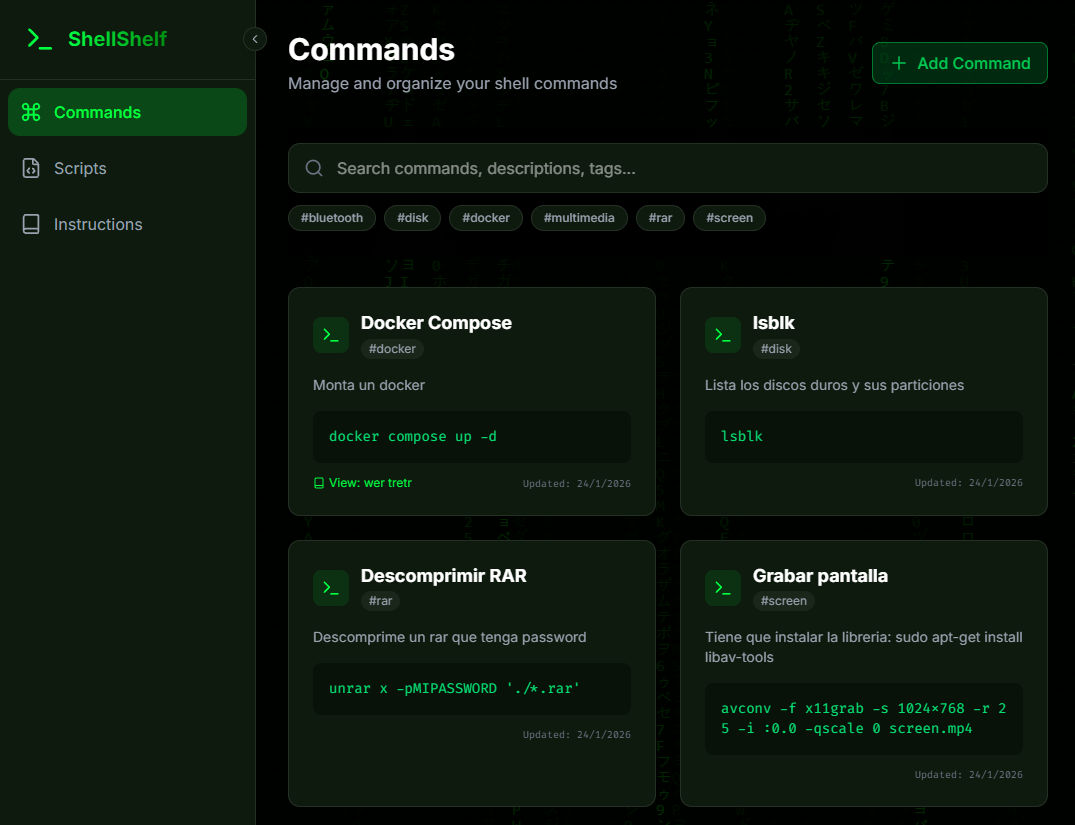
- Web-based Code Editor: Edit your shell scripts directly in the browser with syntax highlighting.
- Dynamic Variables: uniquely supports
{{VARIABLE}}syntax in scripts.- When you click "Copy Exec", ShellShelf detects these variables.
- It prompts you for values (e.g.,
IP_ADDRESS,OAUTH_TOKEN). - It generates a custom
curlcommand with those values pre-filled as query parameters.
- Direct Serving: Serve any script instantly via
curl -sL server/raw/scriptname | bash. - Renaming & Tagging: Organize scripts with tags and easily rename files.
- Smart Storage: Save complex one-liners and commands you don't want to type manually.
- Organization: Filter by tags or search by name/description.
- One-Click Copy: Grabs commands to your clipboard instantly.
- Documentation Links: Link specific commands to longer Instruction files for context.
- Theming System:
- Matrix Mode: Full immersion with animated "Digital Rain" background, neon green accents, and terminal aesthetics.
- Default Dark: A clean, professional dark mode.
- Responsive Design: Collapsible sidebar and mobile-friendly layouts.
- Visual Feedback: Toast notifications, glassmorphism effects, and "danger" states for destructive actions.
- Instructions: Write and store markdown documentation alongside your code.
- Linkable: Connect docs to commands for a complete "Runbook" experience.
- Frontend: React 18, TypeScript, TailwindCSS, Lucide Icons, Framer Motion (animations).
- Backend: Node.js, Express, TypeScript.
- Storage: JSON-based local storage (no database setup required).
- Deployment: Docker & Docker Compose with Nginx.
-
Clone the repository:
git clone https://github.com/yourusername/shellshelf.git cd shellshelf -
Run with Docker Compose:
docker compose up -d --build
-
Access the App:
- Frontend:
http://localhost:80` (or configured port) - The app comes pre-configured to talk to the API internally.
- Frontend:
1. Backend:
cd server
npm install
npm run dev
# Server runs on port 3001
2. Frontend:
cd client
npm install
npm run dev
# Client runs on localhost:5173 (usually)- Create a script:
deploy.sh - Add content:
#!/bin/bash
echo "Deploying to {{ENV}}..."
- Click Copy Exec.
- Enter
Productionwhen prompted. - Paste the generated command:
curl -sL http://localhost/api/raw/deploy.sh?ENV=Production | bash
MIT License.