- Names
Michael Payne and Jenil Oza
The purpose of this website will be to create a website that details the history of the Internet, and how it became to be what we know it today.
- Description : History of the Internet and how it became the worldwide sensation it is today.
- Keywords :
Internet
WWW
HTTP
TCP/IP
Email
HTML
DNS
IP Address
Packets
Wires & Cables
Search Engine
Web browsers
Web servers
dot-com Bubble
E-commerce
People Power - Website Title :
History of the Internet - Page title : Invention of the Internet
- Hero Text : How Internet works! What comes next?
- History of Internet
- Search Engines, Web Browsers & Web Servers
- dot-com bubble, E-commerce & People Power
- Menu Link : History of the Internet (what people see on the website)
- Page Title : History of the Internet (What appears in the browser address bar)
- Description :
History about how the Internet came to be as we know it today. The Internet is a vast network that connects computers all over the world. Through the Internet, people can share information and communicate from anywhere with an Internet connection.
- Keywords :
Internet
WWW
HTTP
TCP/IP
Email
HTML
DNS
IP Address
Packets
Wires & Cables - Page Layout: Z Layout
- Page Content: History of the Internet Markdown document
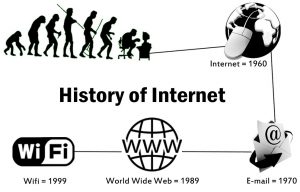
5. Sidebar content (example: secondary information may be about people, places, companies, or other events this will appear on the side.) :
- DNS
- HTTP & WWW
- TCP/IP
- HTML
- IP Address
- Packets
- Wires, Cables & Wi-Fi
- Sidebar text :
1. DNS : Paul Mockapetris expanded the Internet beyond its academic origins by inventing the Domain Name System (DNS) in 1983. DNS translates domain names to IP addresses so browsers can load Internet resources. Each device connected to the Internet has a unique IP address which other machines use to find the device. - Email : A widely accepted story of email’s origins involves a computer engineer named Ray Tomlinson who was working on an early version of the internet in 1971.
- HTTP & WWW : Hypertext Transfer Protocol is an application protocol that defines a language for clients and servers to speak to each other. This is like the language you use to order your goods.HTTP and the World Wide Web One of the most commonly used services on the Internet is the World Wide Web (WWW). The application protocol that makes the web work is Hypertext Transfer Protocol or HTTP. HTTP is a connectionless text-based protocol.
- TCP/IP : Transmission Control Protocol and Internet Protocol are communication protocols that define how data should travel across the internet. This is like the transport mechanisms that let you place an order, go to the shop, and buy your goods. In our example, this is like a car or a bike (or however else you might get around).
- HTML : HTML is the language used to write web pages. The HTML file can reference CSS and JavaScript, either in external files via
<link>and<script>elements respectively, or embedded in the HTML page via<style>and<script>elements. - IP Address : A unique string of characters that identifies each computer using the Internet Protocol to communicate over a network. An Internet Protocol address is a numerical label assigned to each device connected to a computer network that uses the Internet Protocol for communication. An IP address serves two main functions: host or network interface identification and location addressing.
- Packets : Data sent over the internet is called a message, but before messages get sent, they're broken up into tinier parts called packets. These messages and packets travel from one source to the next using Internet Protocol (IP) and Transport Control Protocol (TCP).
- Wires, Cables & Wi-Fi : Bits of information are sent by electricity, light, and radio waves, Bandwidth is the maximum transmission capacity of a device, measured in bits per second Latency is the time it takes for one bit to travel from the sender to the receiver Fiber-optic cable is a thread of glass that reflects light, and signal does not degrade over long distances Wireless typically uses radio signal to send bits Sending device translates binary into different radio frequency waves; the receiver does the reverse, and translates the frequency waves back into binary.

- Menu Link : Search engines, Web browsers & Web servers
- Page Title : Search engines, Web browsers & Web servers
- Description: Information about the history of search engines, web browsers, and web servers.
- Keywords :
Search Engine
Web browsers
Web servers - Page Layout: Z Layout
- Page Content: Search engines, Web browsers, and Web servers
- Menu Link : dot-com Bubble, E-commerce & People Power (what people see on the website)
- Page Title : dot-com Bubble, E-commerce & People Power (What appears in the browser address bar)
- Description : History about the dot-com bubble and e-commerce.
- Keywords :
dot-com Bubble
E-commerce
People Power - Page Layout: Z Layout
- Page Content: dot-com bubble, E-commerce, and People Power
- History of Internet
- Search Engines, Web Browsers & Web Servers
- dot-com bubble, E-commerce & People Power
- Menu Link: About us
- Page Title About us
- Description: Information abut Michael and Jenil, and other information as required in the assignment.
- Keywords: About us, Michael Payne, Jenil Oza
- Page Layout: Z Layout
- Page Content: About Us