EasyQRCodeJS is a feature-rich cross-browser pure JavaScript QRCode generation library. Support for Javascript modules. Support setting Dot style, Logo, Background image, Colorful, Title and more.
EasyQRCodeJS 是一个功能丰富的跨浏览器的纯 JavaScript QRCode 生成库。支持 JavaScript 模块化加载。支持点状风格,Logo,背景图片,规则色彩控制,标题等设置。
- Choose what you need
- Feature
- Try It!
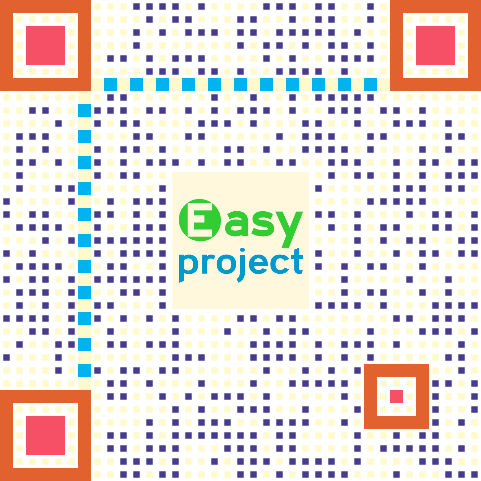
- Demo preview
- QR Code Structure
- Installation
- Basic Usages
- Angular Support
- Vue.js Support
- React Support
- Browser Compatibility
- License
- End
| Project | Support |
|---|---|
| EasyQRCodeJS | Running with DOM on CLIENT-SIDE . Browser(IE6+, Chrome, Firefox, Safari, Opera, Mobile Safari, Android, Windows Mobile, ETC.), Electron, NW.js, ETC. |
| EasyQRCodeJS-NodeJS | Running without DOM on SERVER-SIDE. Save image to file or get data url text. NodeJS, Electron, NW.js, ETC. |
-
English
-
Cross-browser support for QR code generation based on HTML5 Canvas and Table
-
Required Patterns that support dot style
-
Support for Quiet Zone settings
-
Support custom Position Pattern inner fill and outer border color
-
Support custom Alignment Pattern inner fill and outer border color
-
Support custom Timing Patterns vertical, horizontal color
-
Support Logo images (including transparent PNG images)
-
Support Background Image
-
Support for title, subtitle settings
-
Has no dependencies
-
Support AMD, CMD, CommonJS/Node.js JavaScript modules
-
Angular, Vue.js, React Support
-
-
中文
-
跨浏览器,支持基于 HTML5 Canvas 和 Table 的二维码生成
-
支持点形风格的 Required Patterns
-
支持 Quiet Zone 设置
-
支持自定义 Position Pattern 内填充和外边框颜色
-
支持自定义 Alignment Pattern 内填充和外边框颜色
-
支持自定义 Timing Patterns 垂直,水平颜色
-
支持 Logo 图片(包括背景透明的 PNG 图片)
-
支持 Background Image 背景图片
-
支持标题,副标题设置
-
不依赖任何第三方
-
支持 AMD,CMD, CommonJS/Node.js JavaScript 模块加载规范
-
Angular, Vue.js, React 支持
-


-
Download install
<script src="dist/easy.qrcode.min.js" type="text/javascript" charset="utf-8"></script>
-
Npm install
npm install easyqrcodejs
<div id="qrcode"></div>

<script type="text/javascript">
	// Options
	var options = {
		text: "https://github.com/ushelp/EasyQRCodeJS"
	};

	// Create QRCode Object
	new QRCode(document.getElementById("qrcode"), options);
</script>-
AMD load
 require.config({
 	paths: {
 		QRCode: "<YOUR_PATH>/easy.qrcode.min"
 	}
 });

 require(["QRCode"], function(QRCode){

 	// Your code...

 });
-
Node.js load(For Example, Use in Electron)
 const QRCode = require('easyqrcodejs');

 // Your code...
var qrcode = new QRCode(DOM_object, options_object);-
Options
  var options_object = {
 		// ====== Basic
 		text: "https://github.com/ushelp/EasyQRCodeJS",
 		width: 256,
 		height: 256,
 		colorDark : "#000000",
 		colorLight : "#ffffff",
 		correctLevel : QRCode.CorrectLevel.H, // L, M, Q, H
 		dotScale: 1 // Must be greater than 0, less than or equal to 1. default is 1

 		// ====== Quiet Zone
 		/*
 		quietZone: 0,
 		quietZoneColor: 'transparent',
 		*/

 		// ====== Logo
 		/*
 		logo:"../demo/logo.png", // Relative address, relative to `easy.qrcode.min.js`
 		logo:"http://127.0.0.1:8020/easy-qrcodejs/demo/logo.png",
 		logoWidth:80, // widht. default is automatic width
 		logoHeight:80 // height. default is automatic height
 		logoBackgroundColor:'#fffff', // Logo backgroud color, Invalid when `logBgTransparent` is true; default is '#ffffff'
 		logoBackgroundTransparent:false, // Whether use transparent image, default is false
 		*/

 		// ====== Backgroud Image
 		/*
 		backgroundImage: '', // Background Image
 		backgroundImageAlpha: 1, // Background image transparency, value between 0 and 1. default is 1.
 		autoColor: false,
 		*/

 		// ====== Colorful
 		// === Posotion Pattern(Eye) Color
 		/*
 		PO: '#e1622f', // Global Posotion Outer color. if not set, the defaut is `colorDark`
 		PI: '#aa5b71', // Global Posotion Inner color. if not set, the defaut is `colorDark`
 		PO_TL:'', // Posotion Outer color - Top Left
 		PI_TL:'', // Posotion Inner color - Top Left
 		PO_TR:'', // Posotion Outer color - Top Right
 		PI_TR:'', // Posotion Inner color - Top Right
 		PO_BL:'', // Posotion Outer color - Bottom Left
 		PI_BL:'', // Posotion Inner color - Bottom Left
 		*/
 		// === Alignment Color
 		/*
 		AO: '', // Alignment Outer. if not set, the defaut is `colorDark`
 		AI: '', // Alignment Inner. if not set, the defaut is `colorDark`
 		*/
 		// === Timing Pattern Color
 		/*
 		timing: '#e1622f', // Global Timing color. if not set, the defaut is `colorDark`
 		timing_H: '', // Horizontal timing color
 		timing_V: '', // Vertical timing color
 		*/

 		// ====== Title
 		/*
 		title: 'QR Title', // content
 		titleFont: "bold 18px Arial", //font. default is "bold 16px Arial"
 		titleColor: "#004284", // color. default is "#000"
 		titleBackgroundColor: "#fff", // background color. default is "#fff"
 		titleHeight: 70, // height, including subTitle. default is 0
 		titleTop: 25, // draws y coordinates. default is 30
 		*/

 		// ====== SubTitle
 		/*
 		subTitle: 'QR subTitle', // content
 		subTitleFont: "14px Arial", // font. default is "14px Arial"
 		subTitleColor: "#004284", // color. default is "4F4F4F"
 		subTitleTop: 40, // draws y coordinates. default is 0
 		*/

 		// ===== Event Handler
 		/*
 		onRenderingStart: undefined,
 		*/

 		// ===== Versions
 		/*
 		version: 0 // The symbol versions of QR Code range from Version 1 to Version 40. default 0 means automatically choose the closest version based on the text length.
 		*/
 }
Option Required Type Defaults Description Compatibility Basic options --- --- --- --- --- text Y String ''Text width N Number 256Width height N Number 256Height colorDark N String #000000Dark CSS color colorLight N String #ffffffLight CSS color correctLevel N Enum QRCode.CorrectLevel.HQRCode.CorrectLevel.HQRCode.CorrectLevel.Q
QRCode.CorrectLevel.M
QRCode.CorrectLevel.LdotScale N Number 1.0Dot style required Patterns. Ranges: 0-1.0Quiet Zone --- --- --- --- --- quietZone N Number 0Quiet Zone size quietZoneColor N String transparentBackground CSS color to Quiet Zone Logo options --- --- --- --- --- logo N String undefinedLogo Image Path or Base64 encoded image. If use relative address, relative to easy.qrcode.min.jslogoWidth N Number undefinedHeight logoHeight N Number undefinedWidth logoBackgroundTransparent N Boolean falseWhether the background transparent image( PNG) shows transparency. Whentrue,logoBackgroundColoris invalidlogoBackgroundColor N String #ffffffSet Background CSS Color when image background transparent. Valid when logoBackgroundTransparentisfalseBackgroud Image options --- --- --- --- --- backgroundImage N String undefinedBackground Image Path or Base64 encoded Image. If use relative address, relative to easy.qrcode.min.jsbackgroundImageAlpha N Number 1.0Background image transparency. Ranges: 0-1.0autoColor N Boolean falseAutomatic color adjustment Posotion Pattern Color options --- --- --- --- --- PO N String undefinedGlobal Posotion Outer CSS color. if not set, the defaut is colorDarkPI N String undefinedGlobal Posotion Inner CSS color. if not set, the defaut is colorDarkPO_TL N String undefinedPosotion Outer CSS color - Top Left PI_TL N String undefinedPosotion Inner CSS color - Top Left PO_TR N String undefinedPosotion Outer CSS color - Top Right PI_TR N String undefinedPosotion Inner CSS color - Top Right PO_BL N String undefinedPosotion Outer CSS color - Bottom Left PI_BL N String undefinedPosotion Inner CSS color - Bottom Left Alignment Color options --- --- --- --- --- AO N String undefinedAlignment Outer CSS color. if not set, the defaut is colorDarkAI N String undefinedAlignment Inner CSS color. if not set, the defaut is colorDarkTiming Pattern Color options --- --- --- --- --- timing N String undefinedGlobal Timing CSS color. if not set, the defaut is colorDarktiming_H N String undefinedHorizontal timing CSS color timing_V N String undefinedVertical timing CSS color Title options --- --- --- --- --- title N String ''titleFont N String bold 16px ArialCSS Font titleColor N String #000000CSS color titleBackgroundColor N String #ffffffCSS color titleHeight N Number 0Title Height, Include subTitle titleTop N Number 30draws y coordinates. SubTitle options --- --- --- --- --- subTitle N String ''subTitleFont N String 14px ArialCSS Font subTitleColor N String #4F4F4FCSS color subTitleTop N Number 0draws y coordinates. default is 0 Event Handler options --- --- --- --- --- onRenderingStart(qrCodeOptions) N Function undefinedCallback function when rendering start work. can use to hide loading state or handling. Version options --- --- --- --- version N Number 0The symbol versions of QR Code range from Version 1to Version40. default 0 means automatically choose the closest version based on the text length. Information capacity and versions of QR Codes NOTE: If you set a value less than the minimum version available for text, the minimum version is automatically used.
-
clear()
qrcode.clear(); // remove the code.
-
makeCode(text)
qrcode.makeCode("https://github.com/ushelp/EasyQRCodeJS"); // make another code text.
-
Add dependency
# install with `npm`
npm install --save easyqrcodejs

# Alternatively you may use `yarn`:
yarn add easyqrcodejs
-
[NAME].component.html
<!-- DOM Element-->
<div #qrcode></div>
-
[NAME].component.ts
import { Component, AfterViewInit, ElementRef, ViewChild } from '@angular/core';
import * as QRCode from 'easyqrcodejs';

@Component({
  selector: 'app-root',
  templateUrl: './app.component.html',
  styleUrls: ['./app.component.css']
})
export class AppComponent implements AfterViewInit{

  // Your DOM Element
  @ViewChild('qrcode', {static: false}) qrcode: ElementRef;

  ngAfterViewInit(){

    // Options
    var options = {
      text: "https://github.com/ushelp/EasyQRCodeJS"
    }

    // Create new QRCode Object
    new QRCode(this.qrcode.nativeElement, options);

  }

  btnClick(){
    // ....
  }

}
-
Add dependency
# install with `npm`
npm install --save easyqrcodejs

# Alternatively you may use `yarn`:
yarn add easyqrcodejs
-
Template
<!-- DOM Element-->
<div ref="qrcode></div>
-
Script
<script>
import * as QRCode from 'easyqrcodejs'

export default {

  mounted(){
    // Options
    var options = {
      text: "https://github.com/ushelp/EasyQRCodeJS"
    }

    // Create new QRCode Object
    new QRCode(this.$refs.qrcode, options);
  },
  methods:{
      btnClick(){

      }
  }
}
</script>
-
Add dependency
# install with `npm`
npm install --save easyqrcodejs

# Alternatively you may use `yarn`:
yarn add easyqrcodejs
-
Script
import React from 'react';
import './App.css';
import * as QRCode from 'easyqrcodejs';

class App extends React.Component {

    constructor(props) {
        super(props);
        this.qrcode = React.createRef();
    }

    componentDidMount() {
        // Options
        var options = {
            text: "https://github.com/ushelp/EasyQRCodeJS"
        }
        // Create new QRCode Object
        new QRCode( this.qrcode.current, options);
    }
    render() {
        return (
        <div className = "App">
            <div ref={this.qrcode}></div>
        </div>
        );
    }
}

export default App;
IE6+, Chrome, Firefox, Safari, Opera, Mobile Safari, Android, Windows Mobile, ETC.
MIT License
Email:inthinkcolor@gmail.com
Donation/捐助:
我们相信,每个人的点滴贡献,都将是推动产生更多、更好免费开源产品的一大步。
感谢慷慨捐助,以支持服务器运行和鼓励更多社区成员。
We believe that the contribution of each bit by bit, will be driven to produce more and better free and open source products a big step.
Thank you donation to support the server running and encourage more community members.