Coyote is a test agent. It uses a yml configuration file with commands to setup (stdin, env vars, etc) and run. It checks the output for errors and may further search for the presence or absence of specific regular expressions. Finally it creates a html report with the tests, their outputs and some statistics.
Part of Landoop™ test suite



The only requirement is the Go Programming Language, at least version 1.10+.
$ go get -u github.com/landoop/coyoteThis command will install the Coyote in $PATH (setup your $GOPATH/bin if you didn't already).
Getting your tests ran by the coyote -c command.
$ coyote -c my-test.yml -c my-second-test.yml # or -c ./my-tests-folder to load all yaml tests from a particular folderThe above command will run against those tests described in the passed test files and will generate a rich report inside the ./coyote.html template file before exit. The exit code of coyote is the number of failed tests, up to 254 failed tests.
For 255 or more failed tests, the exit code will remain at 255.
The coyote.html template file needs a web server to be displayed correctly, you can use any web server to achieve this, like iris or python's httpserver module, it's up to you, i.e cd ./my-tests-folder && python -m http.server 8000, open a new browser tab and navigate to the http://localhost:8000/coyote.html.
The best example for understanding how to setup a coyote test, would be the kafka-tests.yaml which we use to test our Kafka setup for the Landoop Boxes.
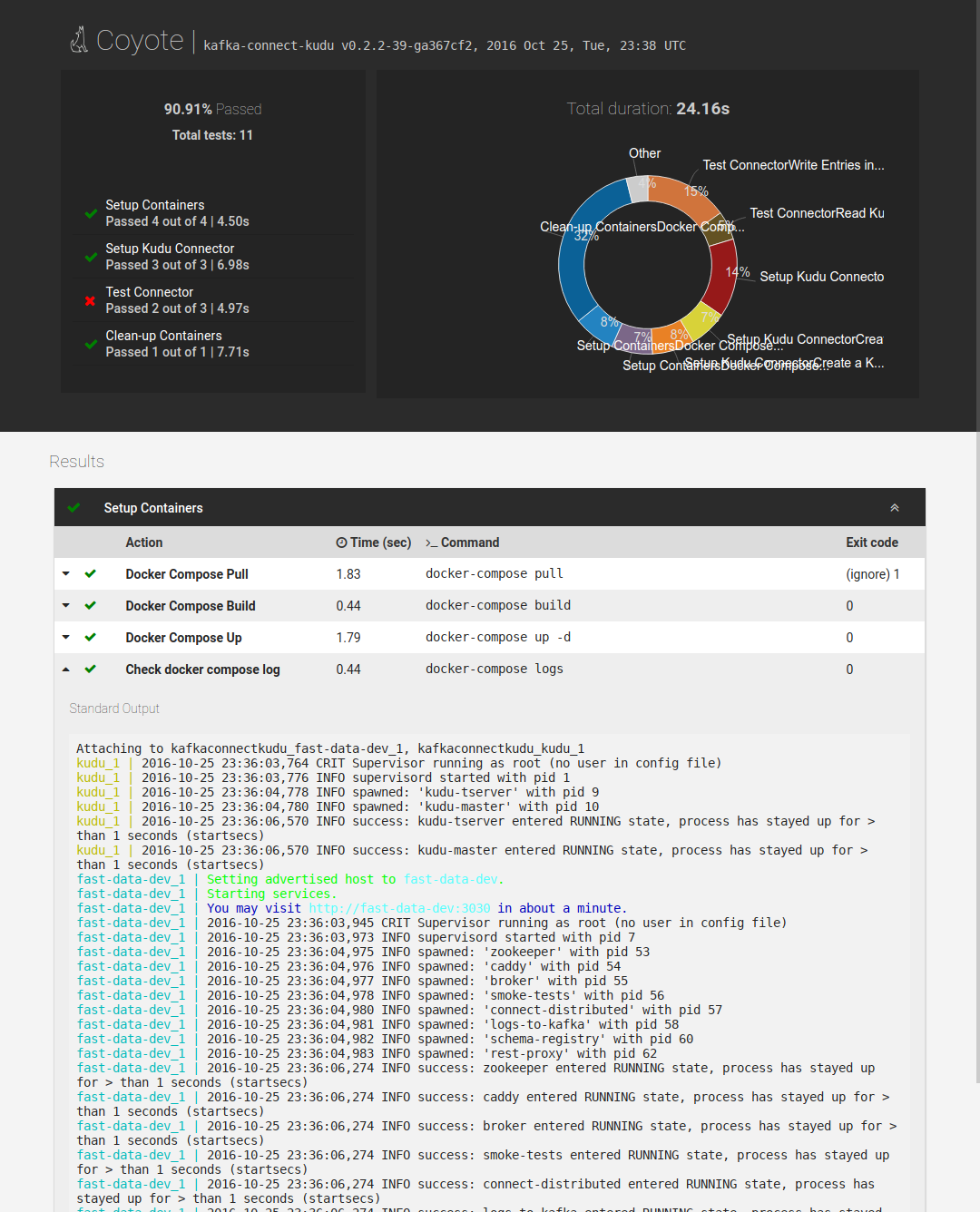
Note that coyote stores the stderr and stdout of each command in memory, so it isn't suitable for testing commands with huge outputs
Sample entry in configuration yml file, overview of workdir, nolog and partially match of the standard output:
- name: Test 1
  entries:
    - name: Command 1
      command: ls /
      stdout:
       - match: ["my-folder", "my-file.txt"]
         partial: true

    - name: Command 2
      command: ls
      workdir: /home

    - command: ls /proc
nolog: truenameis the test's group name,entriescontains the tests under that group, groups are seen separated in the report page (coyote.html),commandis the shell command that we want to test its output, it's required,matchunder thestdoutwill compare the command's output with the slice of text inside it, you can add more than one expected output,- the
partial: trueunder thestdoutwill tell the tester that we don't want to do an exact matching, just check if "my-folder" or "my-file.txt" is part of the command's output. - the
nologtells the tester that we don't want to log anything from that particular command in thecoyote's output.
Timeout will stop the command's execution when duration passed.
- name: Test 2
  entries:
    - name: Long running command
      command: cat
      timeout: 300s
      stdin: hello
An option you may add to your groups or per command is skip. This option will
skip the test if set to (case insensitive) true. Please note that this isn't
a boolean option but rather a string.
The idea behind it is that you can have a test like this:
- name: test 1
  skip: _test1_
  entries:
   ...
   ...
- name: test 2
  skip: _test2_
  entries:
   ...
   ...
And then you can easily switch off parts of the test using sed or other tools.
Current: v1.4.0
Read more about Semantic Versioning 2.0.0
- http://semver.org/
- https://en.wikipedia.org/wiki/Software_versioning
- https://wiki.debian.org/UpstreamGuide#Releases_and_Versions
Distributed under Apache 2.0, See LICENSE for more information.