





The most powerful, flexible open-source AI voice agent for Asterisk/FreePBX. Featuring a modular pipeline architecture that lets you mix and match STT, LLM, and TTS providers, plus 5 production-ready golden baselines validated for enterprise deployment.
Quick Start • Features • Demo • Docs • Community
- 🚀 Quick Start
- 🎉 What's New
- 🌟 Why Asterisk AI Voice Agent?
- ✨ Features
- 🎥 Demo
- 🛠️ AI-Powered Actions
- 🩺 Agent CLI Tools
- ⚙️ Configuration
- 🏗️ Project Architecture
- 📊 Requirements
- 🗺️ Documentation
- 🤝 Contributing
- 💬 Community
- 📝 License
Get the Admin UI running in 2 minutes.
For a complete first successful call walkthrough (dialplan + transport selection + verification), see:
# Clone repository
git clone https://github.com/hkjarral/Asterisk-AI-Voice-Agent.git
cd Asterisk-AI-Voice-Agent

# Run preflight with auto-fix (creates .env, generates JWT_SECRET)
sudo ./preflight.sh --apply-fixes
Important: Preflight creates your
.envfile and generates a secureJWT_SECRET. Always run this first!
# Start the Admin UI container
docker compose up -d --build admin-uiOpen in your browser:
- Local:
http://localhost:3003 - Remote server:
http://<server-ip>:3003
Default Login: admin / admin
Follow the Setup Wizard to configure your providers and make a test call.
⚠️ Security: The Admin UI is accessible on the network. Change the default password immediately and restrict port 3003 via firewall, VPN, or reverse proxy for production use.
# Start ai-engine (required for health checks)
docker compose up -d --build ai-engine

# Check ai-engine health
curl http://localhost:15000/health
# Expected: {"status":"healthy"}

# View logs for any errors
docker compose logs ai-engine | tail -20The wizard will generate the necessary dialplan configuration for your Asterisk server.
Transport selection is configuration-dependent (not strictly “pipelines vs full agents”). Use the validated matrix in:
For users who prefer the command line or need headless setup.
./install.sh
agent quickstart# Configure environment
cp .env.example .env
# Edit .env with your API keys
# Start services
docker compose up -dAdd this to your FreePBX (extensions_custom.conf):
[from-ai-agent]
exten => s,1,NoOp(Asterisk AI Voice Agent v4.6.0)
 same => n,Stasis(asterisk-ai-voice-agent)
 same => n,Hangup()
Health check:
agent doctorView logs:
docker compose logs -f ai-engineLatest Updates
- HTTPS/WSS ARI: Configure
ASTERISK_ARI_SCHEME=httpsfor secure WebSocket events - Custom ARI port:
ASTERISK_ARI_PORT(no longer hardcoded) - SSL verification toggle:
ASTERISK_ARI_SSL_VERIFY=falsefor self-signed or hostname mismatch environments
- Full Call Logging: Every call saved with conversation history, timing, and outcome
- Per-Call Debugging: Review transcripts, tool executions, and errors from Admin UI
- Search & Filter: Find calls by caller, provider, context, or date range
- Export: Download call data as CSV or JSON
- Immediate Interruption: Agent audio stops instantly when caller speaks
- Provider-Owned Turn-Taking: Full agents (Google, Deepgram, OpenAI, ElevenLabs) handle VAD natively
- Platform Flush: Local playback clears immediately on interruption signal
- Transport Parity: Works with both ExternalMedia RTP and AudioSocket
- Faster Whisper: High-accuracy STT backend with GPU acceleration
- MeloTTS: New neural TTS option for local pipelines
- Model Hot-Swap: Switch models via Dashboard without container restart
- External Tools Framework: Connect AI agents to external services via Model Context Protocol
- Admin UI Config: Configure MCP servers from the web interface
- Remote Endpoint Pinning: Lock RTP streams to prevent audio hijacking
- Allowlist Support: Restrict allowed remote hosts for ExternalMedia
- Cross-Talk Prevention: SSRC-based routing ensures call isolation
- Clear save vs apply: apply plans and safer
.envparsing/writing - Env-driven runtime correctness: compose avoids
${VAR:-default}fallbacks that prevent UI env changes from taking effect
- Call-centric logs/events: improved filtering and “troubleshoot” flows for faster RCAs
- OpenAI Realtime audio tweak: minor baseline adjustment for improved telephony alignment
local_hybridDefault: Privacy-focused pipeline is now the out-of-box default- Pipeline-Aware Readiness: Health probes correctly reflect pipeline component status
Previous Versions
- 🌍 Pre-flight Script: System compatibility checker with auto-fix mode.
- 🔧 Admin UI Fixes: Models page, providers page, dashboard improvements.
- 🛠️ Developer Experience: Code splitting, ESLint + Prettier.
- 🎤 New STT Backends: Kroko ASR, Sherpa-ONNX.
- 🔊 Kokoro TTS: High-quality neural TTS.
- 🔄 Model Management: Dynamic backend switching from Dashboard.
- 📚 Documentation: LOCAL_ONLY_SETUP.md guide.
- 🖥️ Admin UI v1.0: Modern web interface (http://localhost:3003).
- 🎙️ ElevenLabs Conversational AI: Premium voice quality provider.
- 🎵 Background Music: Ambient music during AI calls.
- 🔧 Complete Tool Support: Works across ALL pipeline types.
- 📚 Documentation Overhaul: Reorganized structure.
- 💬 Discord Community: Official server integration.
- 🤖 Google Live API: Gemini 2.0 Flash integration.
- 🚀 Interactive Setup:
agent quickstartwizard.
- 🔧 Tool Calling System: Transfer calls, send emails.
- 🩺 Agent CLI Tools:
doctor,troubleshoot,demo.
| Feature | Benefit |
|---|---|
| Asterisk-Native | Works directly with your existing Asterisk/FreePBX - no external telephony providers required. |
| Truly Open Source | MIT licensed with complete transparency and control. |
| Modular Architecture | Choose cloud, local, or hybrid - mix providers as needed. |
| Production-Ready | Battle-tested baselines with Call History-first debugging. |
| Cost-Effective | Local Hybrid costs ~$0.001-0.003/minute (LLM only). |
| Privacy-First | Keep audio local while using cloud intelligence. |
-
OpenAI Realtime (Recommended for Quick Start)
- Modern cloud AI with natural conversations (<2s response).
- Config:
config/ai-agent.golden-openai.yaml - Best for: Enterprise deployments, quick setup.
-
Deepgram Voice Agent (Enterprise Cloud)
- Advanced Think stage for complex reasoning (<3s response).
- Config:
config/ai-agent.golden-deepgram.yaml - Best for: Deepgram ecosystem, advanced features.
-
Google Live API (Multimodal AI)
- Gemini Live (Flash) with multimodal capabilities (<2s response).
- Config:
config/ai-agent.golden-google-live.yaml - Best for: Google ecosystem, advanced AI features.
-
ElevenLabs Agent (Premium Voice Quality)
- ElevenLabs Conversational AI with premium voices (<2s response).
- Config:
config/ai-agent.golden-elevenlabs.yaml - Best for: Voice quality priority, natural conversations.
-
Local Hybrid (Privacy-Focused)
- Local STT/TTS + Cloud LLM (OpenAI). Audio stays on-premises.
- Config:
config/ai-agent.golden-local-hybrid.yaml - Best for: Audio privacy, cost control, compliance.
Run your own local LLM using Ollama - perfect for privacy-focused deployments:
# In ai-agent.yaml
active_pipeline: local_ollama
Features:
- No API key required - fully self-hosted on your network
- Tool calling support with compatible models (Llama 3.2, Mistral, Qwen)
- Local Vosk STT + Your Ollama LLM + Local Piper TTS
- Complete privacy - all processing stays on-premises
Requirements:
- Mac Mini, gaming PC, or server with Ollama installed
- 8GB+ RAM (16GB+ recommended for larger models)
- See docs/OLLAMA_SETUP.md for setup guide
Recommended Models:
| Model | Size | Tool Calling |
|---|---|---|
llama3.2 |
2GB | ✅ Yes |
mistral |
4GB | ✅ Yes |
qwen2.5 |
4.7GB | ✅ Yes |
- Tool Calling System: AI-powered actions (transfers, emails) work with any provider.
- Agent CLI Tools:
doctor,troubleshoot,demo,initcommands. - Modular Pipeline System: Independent STT, LLM, and TTS provider selection.
- Dual Transport Support: AudioSocket and ExternalMedia RTP (see Transport Compatibility matrix).
- High-Performance Architecture: Separate
ai-engineandlocal-ai-servercontainers. - Observability: Built-in Call History for per-call debugging + optional
/metricsscraping. - State Management: SessionStore for centralized, typed call state.
- Barge-In Support: Interrupt handling with configurable gating.
Modern web interface for configuration and system management.
Quick Start:
docker compose up -d admin-ui
# Access at: http://localhost:3003
# Login: admin / admin (change immediately!)
Key Features:
- Setup Wizard: Visual provider configuration.
- Dashboard: Real-time system metrics and container status.
- Live Logs: WebSocket-based log streaming.
- YAML Editor: Monaco-based editor with validation.
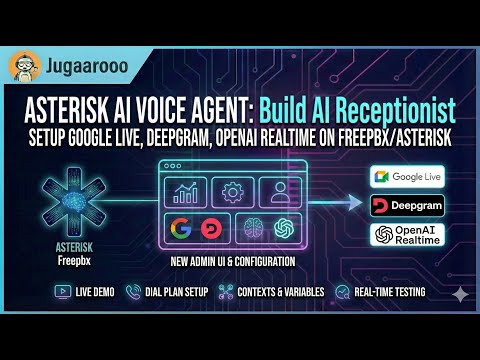
Experience our production-ready configurations with a single phone call:
Dial: (925) 736-6718
- Press 5 → Google Live API (Multimodal AI with Gemini 2.0)
- Press 6 → Deepgram Voice Agent (Enterprise cloud with Think stage)
- Press 7 → OpenAI Realtime API (Modern cloud AI, most natural)
- Press 8 → Local Hybrid Pipeline (Privacy-focused, audio stays local)
- Press 9 → ElevenLabs Agent (Santa voice with background music)
- Press 10 → Fully Local Pipeline (100% on-premises, CPU-based)
Your AI agent can perform real-world telephony actions through tool calling.
Caller: "Transfer me to the sales team"
Agent: "I'll connect you to our sales team right away."
[Transfer to sales queue with queue music]
Supported Destinations:
- Extensions: Direct SIP/PJSIP endpoint transfers.
- Queues: ACD queue transfers with position announcements.
- Ring Groups: Multiple agents ring simultaneously.
- Cancel Transfer: "Actually, cancel that" (during ring).
- Hangup Call: Ends call gracefully with farewell.
- Voicemail: Routes to voicemail box.
- Automatic Call Summaries: Admins receive full transcripts and metadata.
- Caller-Requested Transcripts: "Email me a transcript of this call."
| Tool | Description | Status |
|---|---|---|
transfer |
Transfer to extensions, queues, or ring groups | ✅ |
cancel_transfer |
Cancel in-progress transfer (during ring) | ✅ |
hangup_call |
End call gracefully with farewell message | ✅ |
leave_voicemail |
Route caller to voicemail extension | ✅ |
send_email_summary |
Auto-send call summaries to admins | ✅ |
request_transcript |
Caller-initiated email transcripts | ✅ |
Production-ready CLI for operations and setup.
Installation:
curl -sSL https://raw.githubusercontent.com/hkjarral/Asterisk-AI-Voice-Agent/main/scripts/install-cli.sh | bashCommands:
agent quickstart          # Interactive setup wizard
agent dialplan            # Generate dialplan snippets
agent config validate     # Validate configuration
agent doctor --fix        # System health check
agent troubleshoot        # Analyze specific call
agent demo # Demo featuresconfig/ai-agent.yaml- Golden baseline configs..env- Secrets and API keys (git-ignored).
Example .env:
OPENAI_API_KEY=sk-your-key-here
DEEPGRAM_API_KEY=your-key-here
ASTERISK_ARI_USERNAME=asterisk
ASTERISK_ARI_PASSWORD=your-passwordThe engine exposes Prometheus-format metrics at http://<engine-host>:15000/metrics.
Per-call debugging is handled via Admin UI → Call History.
Two-container architecture for performance and scalability:
ai-engine(Lightweight orchestrator): Connects to Asterisk via ARI, manages call lifecycle.local-ai-server(Optional): Runs local STT/LLM/TTS models (Vosk, Sherpa, Kroko, Piper, Kokoro, llama.cpp).
graph LR
    A[Asterisk Server] <-->|ARI, RTP| B[ai-engine]
    B <-->|API| C[AI Provider]
    B <-->|WS| D[local-ai-server]

    style A fill:#f9f,stroke:#333,stroke-width:2px
    style B fill:#bbf,stroke:#333,stroke-width:2px
    style C fill:#bfb,stroke:#333,stroke-width:2px
    style D fill:#fbf,stroke:#333,stroke-width:2px
| Requirement | Details |
|---|---|
| Architecture | x86_64 (AMD64) only |
| OS | Linux with systemd |
| Supported Distros | Ubuntu 20.04+, Debian 11+, RHEL/Rocky/Alma 8+, Fedora 38+, Sangoma Linux |
Note: ARM64 (Apple Silicon, Raspberry Pi) is not currently supported. See Supported Platforms for the full compatibility matrix.
| Type | CPU | RAM | Disk |
|---|---|---|---|
| Cloud (OpenAI/Deepgram) | 2+ cores | 4GB | 1GB |
| Local Hybrid | 4+ cores | 8GB+ | 2GB |
- Docker + Docker Compose v2
- Asterisk 18+ with ARI enabled
- FreePBX (recommended) or vanilla Asterisk
The preflight.sh script handles initial setup:
- Seeds
.envfrom.env.examplewith your settings - Prompts for Asterisk config directory location
- Sets
ASTERISK_UID/ASTERISK_GIDto match host permissions (fixes media access issues) - Re-running preflight often resolves permission problems
- Configuration Reference
- Transport Compatibility
- Tuning Recipes
- Supported Platforms
- Local Profiles
- Monitoring Guide
Contributions are welcome! Please see our Contributing Guide.
- Discord Server - Support and discussions
- GitHub Issues - Bug reports
- GitHub Discussions - General chat
This project is licensed under the MIT License. See the LICENSE file for details.
If you find this project useful, please give it a ⭐️ on GitHub!

![@dependabot[bot]](https://waps.l3s.uni-hannover.de/live/im_/https://avatars.githubusercontent.com/in/29110?s=64&v=4)

