Open-source collaborative wiki and documentation software.
Website |
Documentation |
Twitter / X
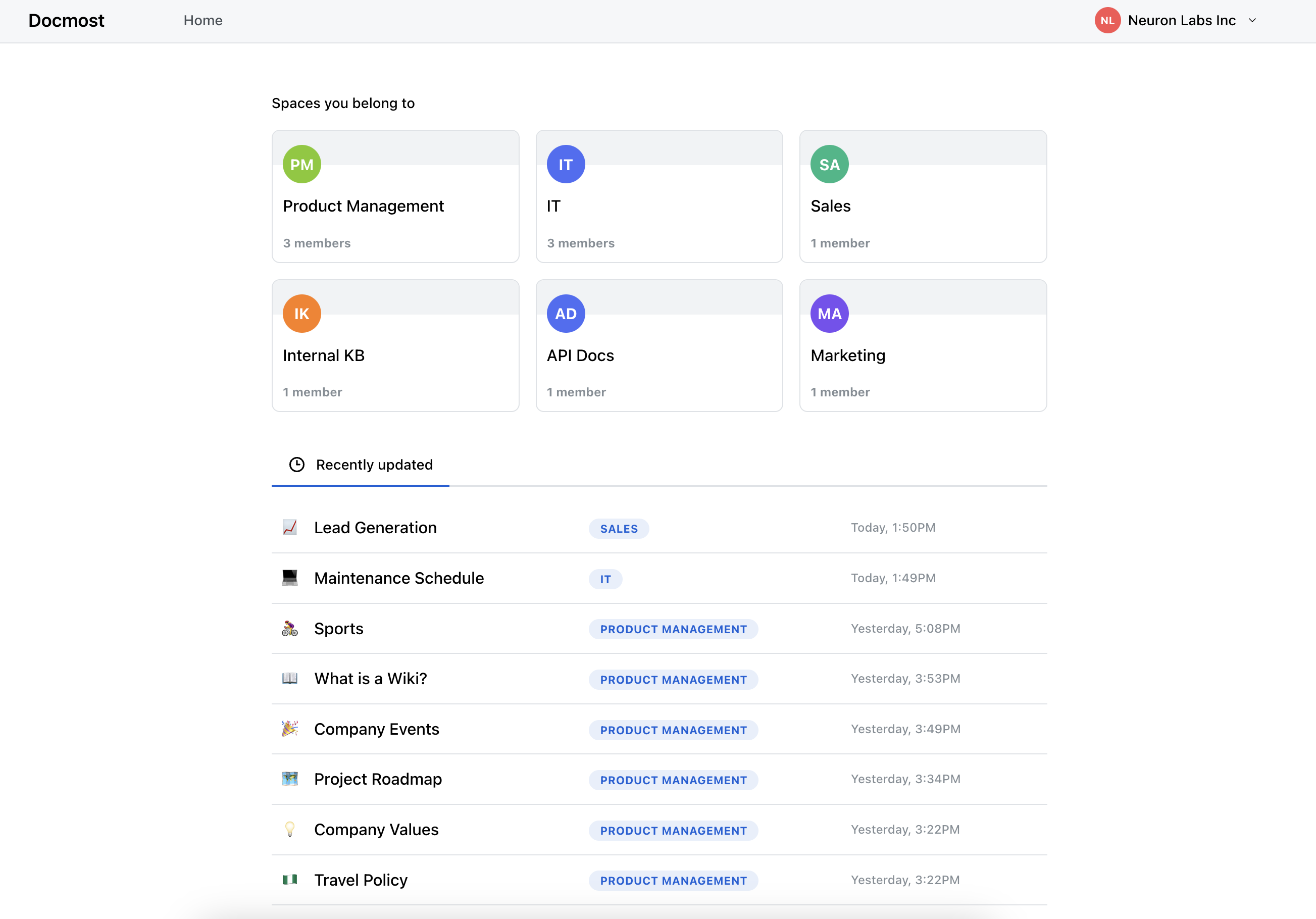
To get started with Docmost, please refer to our documentation or try our cloud version .
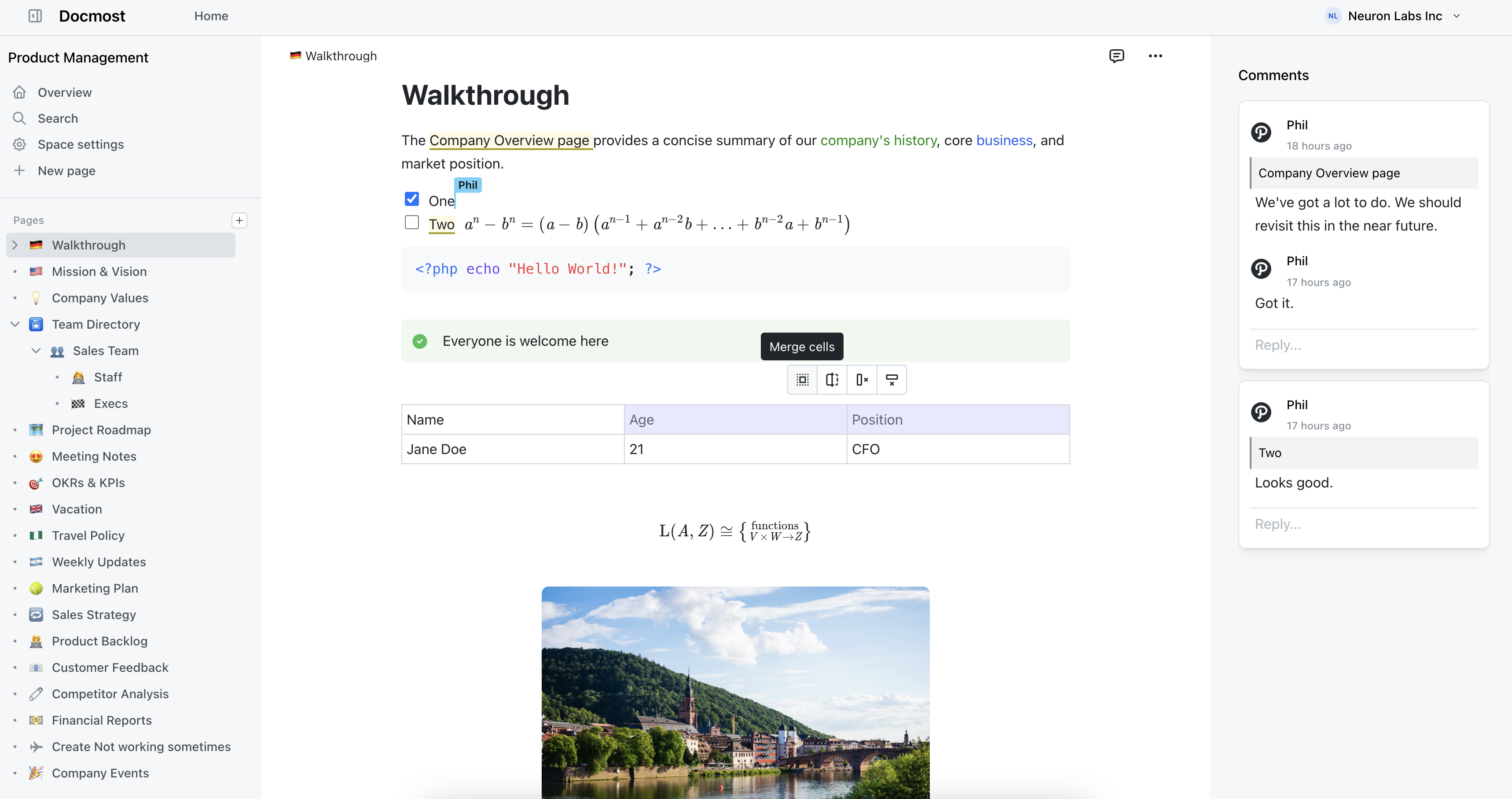
- Real-time collaboration
- Diagrams (Draw.io, Excalidraw and Mermaid)
- Spaces
- Permissions management
- Groups
- Comments
- Page history
- Search
- File attachments
- Embeds (Airtable, Loom, Miro and more)
- Translations (10+ languages)
- OIDC Authentication - Single Sign-On with Authelia, Keycloak, Auth0, and more
Docmost supports OpenID Connect (OIDC) authentication for seamless single sign-on integration.
1. Generate a secure secret:
authelia crypto hash generate pbkdf2 --variant sha512 --random --random.length 72 --random.charset rfc39862. Configure Authelia (configuration.yml):
identity_providers:
  oidc:
    clients:
      - id: docmost
        description: Docmost
        secret: '$pbkdf2-sha512$...'  # Use the hash from step 1
        authorization_policy: two_factor
        redirect_uris:
          - 'https://docmost.yourdomain.com/api/auth/oidc/callback'
        scopes:
          - openid
          - email
          - profile
3. Configure Docmost (.env):
# Required
OIDC_ISSUER=https://auth.yourdomain.com
OIDC_CLIENT_ID=docmost
OIDC_CLIENT_SECRET=your_plaintext_secret  # Use the plaintext from step 1

# Optional
OIDC_AUTO_PROVISION=true  # Auto-create users on first login (default: true)
4. Restart services:
docker restart authelia
docker restart docmost
5. Test: Visit your Docmost URL - you should be automatically redirected to Authelia for authentication.
| Variable | Required | Default | Description |
|---|---|---|---|
OIDC_ISSUER |
Yes | - | OIDC provider URL (e.g., https://auth.example.com) |
OIDC_CLIENT_ID |
Yes | - | Client ID from your OIDC provider |
OIDC_CLIENT_SECRET |
Yes | - | Client secret from your OIDC provider |
OIDC_REDIRECT_URI |
No | {APP_URL}/api/auth/oidc/callback |
OAuth callback URL |
OIDC_AUTO_PROVISION |
No | true |
Automatically create users on first login |
OIDC_LOGOUT_URL |
No | - | OIDC provider logout URL for single sign-out |
To log users out of both Docmost and your OIDC provider (e.g., Authelia) when they click logout, configure the OIDC logout URL:
# Log out from both Docmost and OIDC provider
OIDC_LOGOUT_URL=https://auth.example.com/logout

# With redirect back to Docmost after logout
OIDC_LOGOUT_URL=https://auth.example.com/logout?rd=https://docmost.example.com
How it works:
- User clicks "Logout" in Docmost
- Docmost clears its authentication cookie
- User is redirected to the OIDC provider's logout URL
- OIDC provider clears its session
- (Optional) User is redirected back to Docmost
Common logout URL patterns:
- Authelia:
https://auth.example.com/logout?rd={redirect_url} - Keycloak:
https://keycloak.example.com/realms/{realm}/protocol/openid-connect/logout?redirect_uri={redirect_url} - Auth0:
https://{tenant}.auth0.com/v2/logout?returnTo={redirect_url}
If OIDC_LOGOUT_URL is not configured, users will only be logged out of Docmost (standard behavior).
Test your OIDC configuration:
./scripts/check-oidc-config.shCheck OIDC status:
curl https://docmost.yourdomain.com/api/auth/oidc/statusOIDC authentication works with any OpenID Connect compatible provider:
- ✅ Authelia
- ✅ Keycloak
- ✅ Auth0
- ✅ Okta
- ✅ Azure AD
- ✅ And more...
- Automatic Authentication - Users redirected to OIDC provider without manual login
- CSRF Protection - State tokens prevent cross-site request forgery
- No Password Storage - OIDC users don't have passwords in Docmost
- Auto-Provisioning - New users created automatically (configurable)
- MFA Support - Configure MFA in your OIDC provider
Not redirecting to OIDC?
- Check OIDC status endpoint returns
{"enabled": true} - Verify all required environment variables are set
- Restart Docmost after configuration changes
"Cannot reach OIDC issuer"?
- Verify Docmost can reach your OIDC provider
- Test:
docker exec docmost curl https://auth.example.com/.well-known/openid-configuration - Ensure both services are on the same Docker network if applicable
"Redirect URI mismatch"?
- Ensure redirect URI in OIDC provider exactly matches:
https://docmost.example.com/api/auth/oidc/callback - Check for HTTP vs HTTPS, trailing slashes, and correct subdomain
"User does not exist and auto-provisioning is disabled"?
- Set
OIDC_AUTO_PROVISION=trueto enable automatic user creation, or - Manually create user accounts before they log in via OIDC
Restrict access to specific users (in Authelia):
access_control:
  rules:
    - domain: docmost.yourdomain.com
      policy: two_factor
      subject:
        - "user:john@example.com"
        - "group:docmost-users"
Disable auto-provisioning:
OIDC_AUTO_PROVISION=falseThen manually create user accounts in Docmost before they log in.
Docker Compose Example:
services:
  docmost:
    image: docmost/docmost:latest
    environment:
      APP_URL: 'https://docmost.example.com'
      APP_SECRET: 'your-app-secret'
      DATABASE_URL: 'postgresql://docmost:password@db:5432/docmost'
      REDIS_URL: 'redis://redis:6379'

      # OIDC Configuration
      OIDC_ISSUER: 'https://auth.example.com'
      OIDC_CLIENT_ID: 'docmost'
      OIDC_CLIENT_SECRET: 'your_secret'
      OIDC_AUTO_PROVISION: 'true'
      OIDC_LOGOUT_URL: 'https://auth.example.com/logout?rd=https://docmost.example.com'
    networks:
      - shared  # Share network with Authelia
Docmost core is licensed under the open-source AGPL 3.0 license.
Enterprise features are available under an enterprise license (Enterprise Edition).
All files in the following directories are licensed under the Docmost Enterprise license defined in packages/ee/License.
- apps/server/src/ee
- apps/client/src/ee
- packages/ee
See the development documentation
Special thanks to;

Crowdin for providing access to their localization platform.

Algolia for providing full-text search to the docs.