To use on a Linux/Unix/Mac OS computer, download the three ruby scripts MidiFixForSongBeats.rb, mididefs.rb, and midifile.rb into a directory with MIDI files on a computer with ruby installed. Often ruby is installed by default. MIDI files may be downloaded from sites like http://www.midiworld.com/ or https://freemidi.org/.
Then run
ruby MidiFixForSongBeats.rb *.mid
to convert all the MIDI files in the current directory. The fixed files will appear in a sub-directory called fixed/.
This works with Yamaha DTX drums and Yamaha Song Beats (app store link).
The script that I wrote uses midifile.rb as well as mididefs (adopted from MIDIFILE_RB/EXAMPLES/GMlister) taken from this repository released under an open source license.
- Converts to MIDI Format 0 (basically puts everything onto a single midi track).
- Strips out SysEx Midi messages (System Exclusive) that prevent the MIDI from working in SongBeats
- Strips out all
Program_Change/Control_Changeevents from channel 10 (Percussion) that sometimes prevent it from working. (TODO: Figure out whichProgram_Change/Control_Changeevents are fine to keep and leave those in). - Renames Track in first
TRACK_NAMEMeta Event to something based on file name, so in the Song Beats app, the files are listed with a readable name instead of something seemingly random like "Guitar" or "Drums" or "tk1". - Doubles Tempo and expands measure for songs under 140 beats, so its easier to see timing. This can be disabled by specifying the flag
--multiplier 1. - Moves file into subdirectory called 'fixed/' (or custom directory with flag
-o <output_dir>). - Checks that MIDI file has drums in it and don't convert if the midi file has no drums in it. (This can be over-ridden with
-fflag). - Optionally summarizes drums present in song with custom flag (
-s). Note some percussion events do not translate to Song Beats events on a standard drum kit; e.g., Tambourine or Maraca, so this may help you figure out why the MIDI events didn't show up.
This has not been tested on a windows computer, but in principle the script should work after installing ruby. Possibly a few minor changes will be necessary to get it to work.
You can do this using Itunes. You can follow this youtube video I found. The steps are basically:
- Install Song Beats onto the iPad/iPhone if it's not already installed. Please note if you don't see it in the app store that SongBeats is listed as an iPhone only application. So make sure you are not only searching for iPad only apps (or search for iPhone only apps on your iPad).
- Connect the iPad up to your computer with a USB-to-ipad (lightning for new iPads/30-pin connector for older iPads).
- Open up iTunes.
- Click the iPad/iPhone shaped icon that's next to the drop down menu in the upper left:
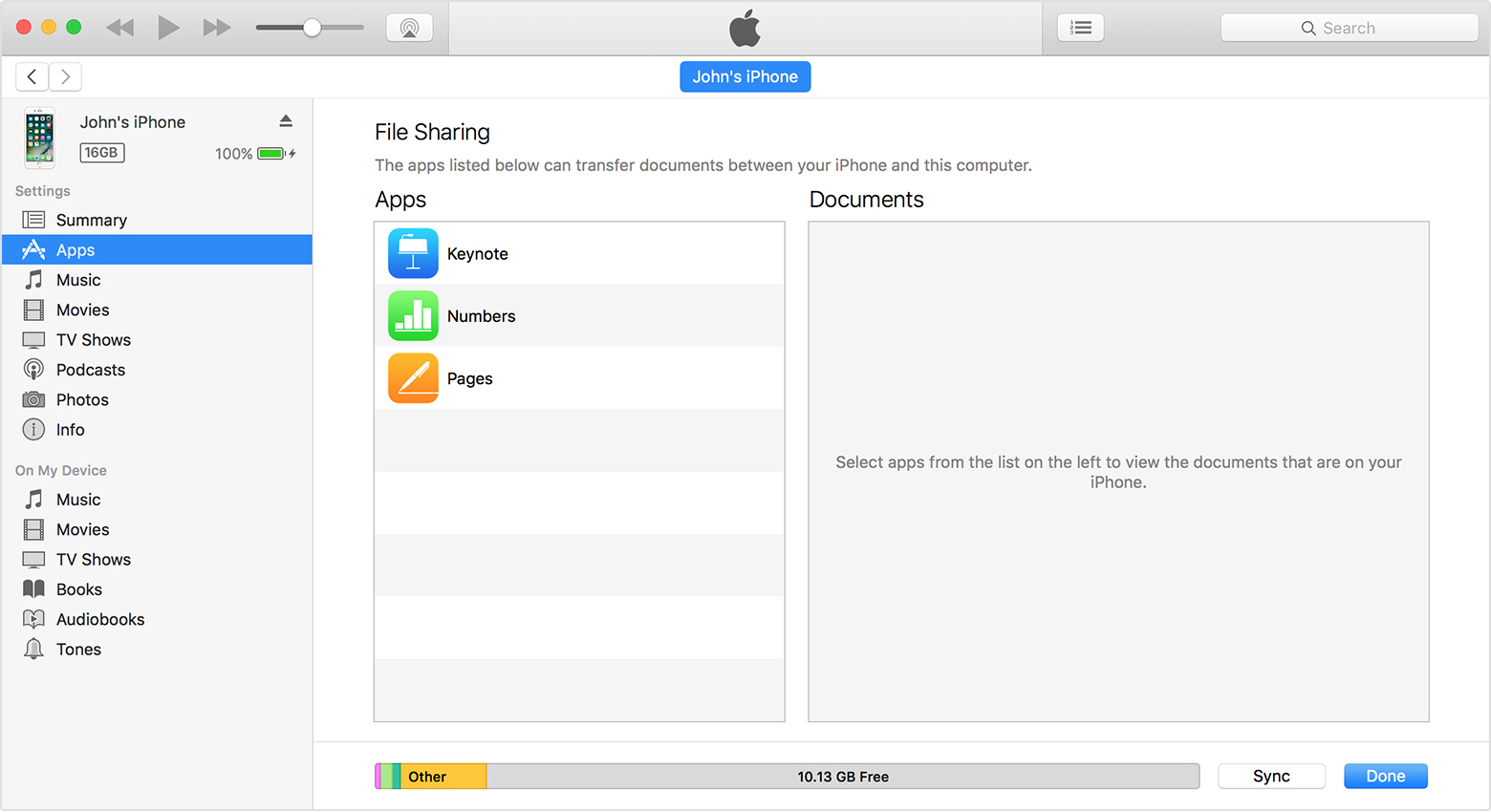
- In the left-sidebar, select "Apps".
- In the main window, then scroll to the bottom to see the File Sharing section.
- Select Song Beats and then drag-and-drop the fixed midi files into this directory.

The DTX expects a USB-B connection to the iPad/iPhone lightning (or 30-pin connector for older iPad/iPhones). I use a printer cable (USB-A to USB-B) similar to this one on amazon and use it with the apple lightning to USB adapter like here it is on amazon. I've also tried a cheaper lightning to USB connector like this one on amazon however I do not recommend the cheaper one. When I connected it to my DTX 4xx module, it would work for about a minute or so (long enough to transfer files using MusicSoft Manager app to save in one of 10 memory banks), but then it presents with an error message saying "This device is not supported by this iPad" (and then I have to reconnect the cables and it will usually work again for a little bit after a few tries). Meanwhile with the expensive Apple adapter, I haven't gotten an error message yet after a lot more use.
The parsing of a midi file is being done using the ruby library midifile.rb that is available at http://www.goodeveca.net/midifile_rb/ and was written by someone else. The files inside the MIDIFILE_RB directory are not required for this to work (you only need MidiFixForSongBeats.rb, midifile.rb and mididefs.rb, however the license of the required midifile.rb (see MIDIFILE_RB/README) specifies they be distributed along with the file.
midifile.rb may be freely copied in its entirety provided that this notice, all source code, all documentation, and all other files are included.