Currently, this library is in "beta" state. It's just been recently released, and we're seeking for feedback on the protocol and are still open to significant breaking changes.
As such, please take care when building with this protocol in this stage and be prepared for potential significant breaking changes (e.g. changes to schema, naming things, structure and such).
This stage won't likely run long. Once we're happy that we got some feedback, we'll remove the label and will be a lot more hesitant to introduce breaking changes, providing more stability.



There are none yet! ;(
If you build something cool, let us know (just create an issue on this repository) with a link and we'll add it when we can!
Resonite is a social VR sandbox where you can build anything in-game, realtime and with realtime collaboration and implicit network synchronization. It is like being inside a virtual universe / game-engine that you have control over and that you can build together with your friends or colleagues.
Everything in Resonite is built around a shared data model - from the overall scene hierarchy, components to the individual fields - everything is accessible, modifiable and scriptable, giving users unprecedented level of control.
You can get Resonite completely for free on Steam here: https://store.steampowered.com/app/2519830/Resonite/
While Resonite has a heavy focus on building things in-game, interoperability with external tools and scripts is also important, as it plugs Resonite into a larger ecosystem. ResoniteLink is a simple WebSocket protocol designed as a foundational building block to allow anyone to more easily build external tools and interfaces to read and write Resonite's data model.
The protocol closely follow's Resonite's data model and deconstructs it into primitive JSON types which can be used from nearly any programming language. With this, you can integrate Resonite worlds with any tool you can imagine.
You can find the documentation hosted on GitHub pages.
- Unity/Unreal/Godot/Blender... SDK
- You can bring existing content from those tools into Resonite easily
- They will also allow integrating Resonite with other tools as part of your workflow
- Procedural world/asset generation with external tools
- External scripts controlling a world during live events
- Monitoring state of the world with external tools
- Twitch chat integration
- With the REPL classes, you can let Twitch chat control the Resonite world at fine level - at your own risk :3
- External utilities & tools for processing worlds
- Use Resonite as visualization tool for external tools
- E.g. 3D scanning software can easily send data to Resonite for realtime VR visualization
- Any tool will benefit from free collaboration & network synchronization and fully built VR interactions without having to build this by itself
No.
Building in-game is still our primary focus. Any content you bring into Resonite via this protocol can still be edited and worked with using the in-game tools.
This is meant to enhance the interoperability and open new workflows, but not replace any of them.
ResoniteLink opens up a lot of new possibilities. However there are certain use-cases that it's not designed for:
- Realtime control / simulation of in-game objects
- While it's generally fast and let's you pipe in continuous updates to things, it does not provide mechanisms to synchronize with game updates - any reads/writes happen "eventually"
- Updating lots of objects in realtime is better done with in-game mechanisms and scripting, providing smoother results and better efficiency
- Using in-game OSC / WebSocket mechanisms can be more efficient method to control data in realtime
- The JSON serialization & structure of the models is designed for ease of implementation and integration, not maximum performance
- Access to session control data model / streams
- This provides you with access to the data model representing the world itself, but currently not any other parts of the data model
- Some of this might change in the future, but not likely
- Replacement for in-game scripting
- While you can use this to control in-game objects with external scripts, it's still recommended to use ProtoFlux where possible
- Using this to control things requires running an external program and to be the host of the session
- Serialization for long term storage
- Saving the returned JSON and sending it to a different version of Resonite is NOT supported
- ResoniteLink gives you snapshot of what's currently in world for the version of Resonite you're using, but isn't designed for long term storage
- Resonite's inner data model has mechanisms for long term compatibility and has upgrade mechanisms. Those aren't part of ResoniteLink - you need to let Resonite handle those upgrades
- It's pretty commonly supported in lots of languages and enviroments (even ones where raw TCP/UDP isn't)
- It forms a session with easy back & forth communication
- Allows either side to initiate sending a message (as compared to HTTP REST API for example)
- Allows sending binary messages
- These allow for more efficient implementation of sending asset data
- It's very ubiquitous and supported in pretty much every common language, often with multiple libraries to choose from
- It's relatively simple structure of basic value types, lists and dictionaries, which is sufficient to fully decompose Resonite's data model
Resonite has a highly creative and skilled community, which has been building outstanding in-game content as well as external tools and mods for the game that open up many more possibilities for Resonite.
By creating this protocol and making the client implementation open, we want to make it easy to build with it and open up even more possibilities and workflows than before. Making this open removes a lot of the friction that's normally associated with decompiling and reverse engineering parts of the engine.
We were considering "cool" unique names. However, we ended up following similar philosophy to naming "ResonitePackage" - we want this tool to be recognizable as Resonite-related tool/protocol at first sight and a "cool name" would obscure that fact.
There are two core purposes of this repository:
You can use this repository as a reference and examples for implementing your own versions of this protocol in other languages. As this library is used within Resonite itself, this repository will always reflect the latest state of the protocol.
To get started, check the "Models" folder, which contains the JSON models for core data model primitives as well as the command messages and responses. Their fields should be documented on their meaning and purpose too within the code.
If you want to build ResoniteLink apps in C#, this library will also give you a head start by providing classes for the models, so you don't have to work with JSON directly as well as some utility classes for managing WebSocket connection and easily getting responses via async API.
We will be using this library for other official projects, such as Unity SDK for Resonite, which will also serve as another implementation example.
Here are some example JSON messages to give you some idea for the protocol.
You can also watch a video walkthrough on how to get started with this!
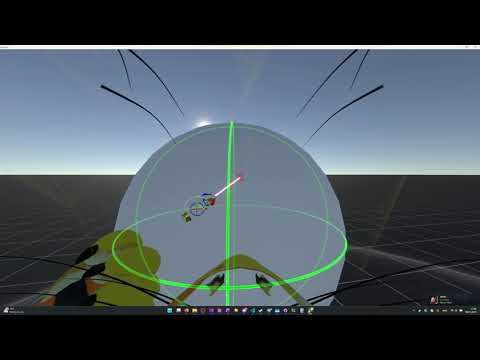
We recommend looking at the Models folder in the repository to get full understanding of supported messages and reading the documentation..
To fetch information about the scene hierarchy, you can use the getSlot message:
{
    "$type" : "getSlot",
    "slotId" : "Root",
    "includeComponentData" : false,
    "depth" : 0
}
Here's a few things:
slotId - ID of the slot we are fetching. Root slot has special ID "Root", otherwise you get the ID's of other slots as a result of this query.
includeComponentData - When true, the response will contain full data of components on the fetched slots. This can be useful if you want to get the data as single bulk, but can be inefficient if you're fetching it piece by piece. When false, the response will only include reference data for the components (their type & ID). You can fetch data for individual components later.
depth - Indicates how deep to fully fetch slots. 0 will only fully fetch the requested slot. Any children will only have basic reference info (Name & ID's). -1 will fetch as deep as possible. Doing -1 at Root slot will fetch the entire scene hierarchy
You can add new slots! This is a bit more involved, as you need to specify more things. However what makes this easier is that any parameters that you omit are left to defaults.
{
    "$type" : "addSlot",
    "data" : {
        "id" : "MySDK_0",
        "parent" : {
            "$type" : "reference",
            "targetId" : "Root"
        },
        "name" : {
            "$type" : "string",
            "value" : "Hello from MySDK!"
        },
        "position" : {
            "$type" : "float3",
            "value" : {
                "x" : 0,
                "y" : 1.5,
                "z" : 10
            }
        }
    }
}
data - This provides the actual definition of the Slot. This is the same definition you get when querying slot data too - the model is shared!
data.id - The ID of the new Slot. You can provide your own (see section below for details) or you can omit this and let Resonite allocate this.
data.parent.targetId - The ID of the parent slot for this slot. In this example it's just Root - you could omit this, as Root will be the default, but this is how you can set the parent to any slot.
data.name.value - You can name the new slot when creating it!
data.position.value - You can position the new slot when creating it too! We omitted rotation, scale and other fields here - they'll just be at defaults.
In previous example we created a slot. Let's say we want to update its scale. We can send another message, that uses the same schema for slot definition - we only include the properties that we want to change. Anything that's not included will be left as-is.
{
    "$type" : "updateSlot",
    "data" : {
        "id" : "MySDK_0",
        "scale" : {
            "$type" : "float3",
            "value" : {
                "x" : 2.5,
                "y" : 2.5,
                "z" : 2.5
            }
        }
    }
}
data - This is the same model when adding slot or when getting slot data when querying them!
data.id - For this message, this is MANDATORY! We are updating existing slot, so Resonite needs to know which one to update
data.scale - We're updating the scale of the slot, so it's the only thing we need to include. Everything else can be left as-is
Let's attach a component to our new slot!
{
    "$type" : "addComponent",
    "containerSlotId" : "MySDK_0",
    "data" : {
        "id" : "MySDK_1",
        "componentType" : "[FrooxEngine]FrooxEngine.Grabbable",
        "members" : {
            "Scalable" : {
                "$type" : "bool",
                "value" : true
            }
        }
    }
}
containerSlotId - This is MANDATORY for adding components! Resonite needs to know which slot to attach them to.
data - This is the component definition. This is same model as you get when querying component data
data.id - This is optional when adding a component, similarly to adding a slot. We provide our own ID so we can easily reference it later.
data.componentType - This is also MANDATORY when adding a component - we must specify the type. The syntax is the same you'd use within Resonite when writing types in the componet attacher. You can technically specify this when updating the component later too, but it's NOT RECOMMENDED - if you specify different type, it will fail, because you can't change component type at runtime.
data.members - This is a dictionary that allows you to define the values for component's members. Their names match 1:1 to how you'd see them in Resonite inspector
data.members.Scalable.value - We're setting the Scalable field on the Grabbable component to true. Everything else is left at default.
If you want to update fields on existing components (whether you added them or not), just send a component update! Let's say we changed our mind and we want the component to no longer be Scalable.
{
    "$type" : "updateComponent",
    "data" : {
        "id" : "MySDK_1",
        "members" : {
            "Scalable" : {
                "$type" : "bool",
                "value" : false
            }
        }
    }
}
data.id - Since we're updating existing component, providing its ID is now MANDATORY
Let's say we want to clean up now and remove the slot we made. This is very easy:
{
    "$type" : "removeSlot",
    "slotId" : "MySDK_0"
}
slotId - Pretty self explanatory. The ID of the slot we want to remove!
ID's in ResoniteLink are strings and can be allocated either by Resonite or the client (e.g. your tool).
If you create object (slot, component) through ResoniteLink, you can assign it your own ID. You must take care not to collide with another ID - prefixing it with a custom string will often work well. Resonite will then remember this ID during the ResoniteLink session. This saves you from fetching the data back after creating objects and allows you to set references to new objects as part of the creation.
You can also leave ID to be null when creating objects - Resonite will then allocate an ID. You'll need to query the object to learn this ID.
Any Resonite ID's are prefixed with "Reso_". It's NOT recommended to use this prefix for ID's you'll allocate.
The ID's are NOT persistent. After saving the world and loading it again, they will be different.
The protocol is not complete and additional functionality will be added over time. Some crucial for certain use-cases and some convenience to make certain use-patterns easier. Here are some features that are currently planned to be added at some point:
- Support more data model types
- Arrays
- Dictionaries
- SyncVars
- Asset API for generating/importing assets externally (Textures, Meshes, Audio, Animations...)
- Reading assets will not likely be supported until we introduce more robust asset protection system
- Type reflection - ability to fetch list and structure of supported component types by the current instance
- You'll be able to use this for component type hinting for your tooling
- It will also be useful for generating strongly typed bindings for tools
- Type validation
- Resonite follows the C# type system, which could be complex to emulate in other languages. The API will allow you to let Resonite validate types
- Screenshot capture API
- When connected to graphical client of Resonite a command will allow requesting render of the scene from particular viewpoint
- Optionally monitoring fields for changes
- Sending messages from Resonite to ResoniteLink for custom handling of events
Resonite can import wide variety of content in-game - 3D models, images, audio, video... even Minecraft worlds! This protocol can potentially be used to do the same, by making the importer code external. There is some overlap between the two, with certain pros and cons.
However, in a number of cases it's easier to run the code to generate Resonite data model structures within the external tool itself.
- Seamless integration
- Just drag & drop file into Resonite and it imports with a in-game importer guide
- More efficient and easier implementation - it has full access to Resonite's classes and helper methods for assets
- Can run within source tool without relying on export/exchange formats
- Currently, it's easier to build them, without need for modding Resonite
- This will change in the future as we plan to make the import/export system modular & open source
- Can be written in any language, not just C# (and other CLR languages)
There are many ways to help this project! Check the Contributing tab to learn more!


