The last Python environment manager you'll ever need.
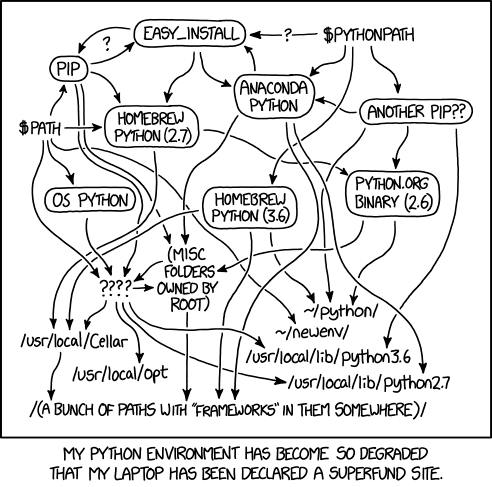
We're finally putting an end to this XKCD.
-
Get any Python version running instantly with just 1 command:
$ python
'python': command not found

$ yen exec --python 3.12
Downloading 3.12.3 ━━━━━━━━━━━━━━━━━━━━━━━━━ 100.0% • 17.4/17.4 MB • 29.1 MB/s
Python 3.12.3 (main, Apr 15 2024, 17:43:11) [Clang 17.0.6 ] on darwin
Type "help", "copyright", "credits" or "license" for more information.
>>> exit()

$ yen exec --python 3.12  # Cached for subsequent uses:
Python 3.12.3 (main, Apr 15 2024, 17:43:11) [Clang 17.0.6 ] on darwin
Type "help", "copyright", "credits" or "license" for more information.
>>>
Works on Windows, MacOS and Linux (
libcandmusl), on Intel and ARM chips. -
Instant
venvcreation: Thanks tomicrovenv,yencan create virutal environments much faster than the builtinvenvmodule:$ yen create venv -p 3.9 Created venv with Python 3.9.18 ✨ $ source venv/bin/activate (venv) $ python --version Python 3.9.18
NOTE: It's not that fast right now as I found a bug. Working on it.
-
Zero dependencies: No need to have Python installed, no need to look into
apt,homebrewetc., just run one shell command to getyenset up locally. -
Python script management: Never run
pip installto get a tool likeruff,awsclietc. in the global Python environment ever again.
Essentially, yen lets you replace various Python environment management tools
such as pyenv, pipx and virtualenv, with a single static binary.
Running Python code on any machine has never been this easy.
Get yen by running the following command:
-
MacOS / Linux:
curl -L yen.tushar.lol/install.sh | sh -
Windows:
Using cmd:
curl -L yen.tushar.lol/install.bat | cmd
or using Powershell:
curl -L yen.tushar.lol/install.ps1 | Invoke-Expression
or if you prefer, get it via pip:
pip install yenor pipx:
pipx run yenYeah, if you already have
yen, you can doyen run yenand that works. But don't do that.
You can also grab the binary from GitHub releases.
$ yen list
Available Pythons:
3.12.3
3.11.9
3.10.14
3.9.19
3.8.19

$ yen create venv -p 3.12
Downloading 3.12.3 ━━━━━━━━━━━━━━━━━━━━━━━━━ 100.0% • 17.4/17.4 MB • 12.4 MB/s
Created venv with Python 3.12.3 ✨

$ yen install meowsay
Installed package meowsay with Python 3.12.3 ✨

$ meowsay hello!
 ________
< hello! >
 --------
        \      |\---/|
         \     | ,_, |
                \_`_/-..----.
             ___/ `   ' ,\"\"+ \  sk
            (__...'   __\    |`.___.';
              (_,...'(_,.`__)/'.....+

$ yen run --python 3.9 wttr
Weather report: Milano, Italy

     \  /       Partly cloudy
   _ /"".-.     20 °C
     \_(   ).   ↑ 4 km/h
     /(___(__)  10 km
                0.0 mm

$ wttr paris
Weather report: paris

      \   /     Sunny
       .-.      +22(25) °C
    ― (   ) ―   ↓ 7 km/h
       `-’      10 km
      /   \     0.0 mm
By default the Pythons will be downloaded in
~/.yen_pythons. You can change this location by setting theYEN_PYTHONS_PATHenvironment variable.
-
Run
yen create venvandvenv/bin/activate -
Run
pip install -r requirements-dev.txtto do an editable install -
Verify that you're now pointing at the correct
yen:$ which yen /home/your_name/code/yen/venv/bin/yen
-
Run
pytestto run tests
To run Rust tests:
- Compile the rust project:
cd yen-rs && cargo build - Run
export YEN_RUST_PATH=./yen-rs/target/debug/yen-rs - Run
pytest, and ensure that number of tests ran has doubled.
These two files are used by yen and downloaded by the yen install script.
microvenv.pyis just this file renamed.userpath.pyzis created by running./build-standalone.shin this fork of userpath.
Run mypy .
Make sure to bump the version in setup.cfg.
Then run the following commands:
pip install setuptools wheel twine
rm -rf build dist
python setup.py sdist bdist_wheel
Then upload it to PyPI using twine:
twine upload dist/*