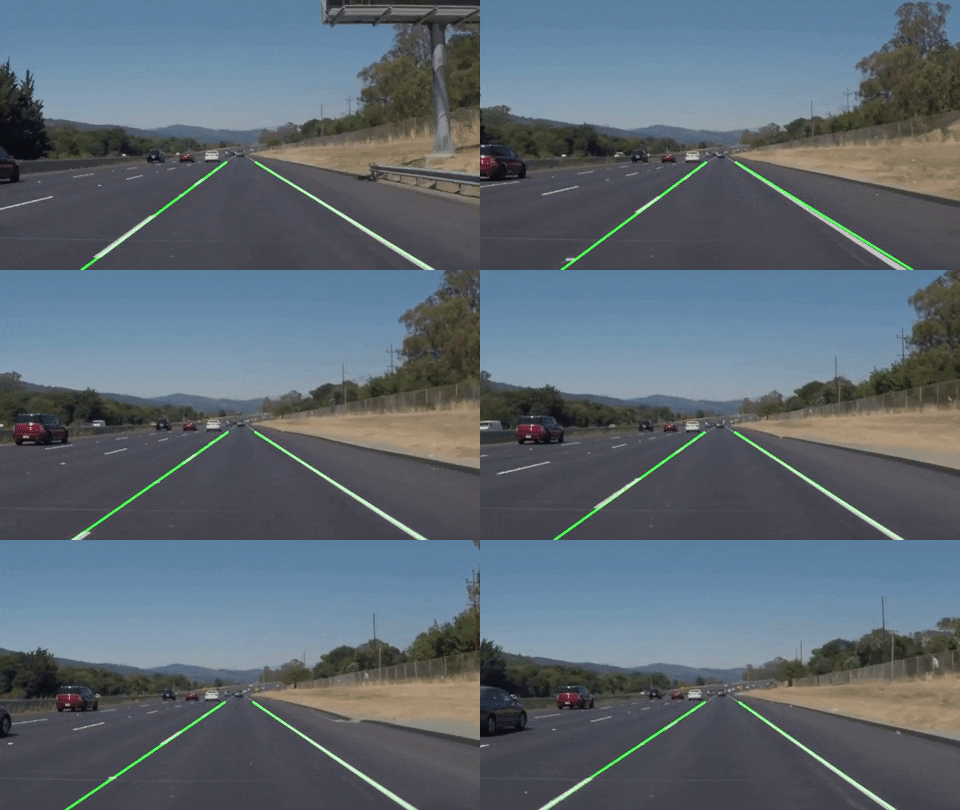
Road line detector using OpenCV, Python and moviepy
Run the script using command:
python LineDetector.py -i <path_to_input_video>
Output video will be created in folder where script is located
Firstly, we have to define Region Of Interests.
Let's imagine what does road lines look like in front of the car

There are two straight lines that are approaching towards the horizon.
(Unless you have such roads, but this isn't our case)

So, the lines form a triangle. This is our Region Of Interest. In order to process lines only in defined ROI, the image will be cropped (also converted to gray scale)

To find lines, it's needed to find edges. Canny edge detector will be used for this.
This way, such image is obtained

One can see that there is discontinuous line on the left side.
Since we need two straight lines from the left and from the right sides. This discontinuous line has to be connected is some way.
For this Hough line transformation will be used
Obtained lines will be extended to form one continuous line, colored to green color and overlaid with the original image.
So, the resulting image will look something like this:

To run this algorithm for video moviepy is used.
In order to do this, put all image processing, that was discussed above into pipeline function and then send this function as a parameter to one of the moviepy's functions .fl_image(pipeline).
Lines will be updated each 25 frames, i.e. approx 1 second.