Smart alarm system based on STM32 as the main microcontroller, interfaced with ESP32 for WiFi communications.
This project is a burglar alarm system designed for home and office security. It combines PIN-based authentication, movement detection, and remote notifications through:
- Authentication via keypad and PIN code
- Detection of door/window openings and motion
- Real-time WhatsApp notifications
- User interface on OLED display
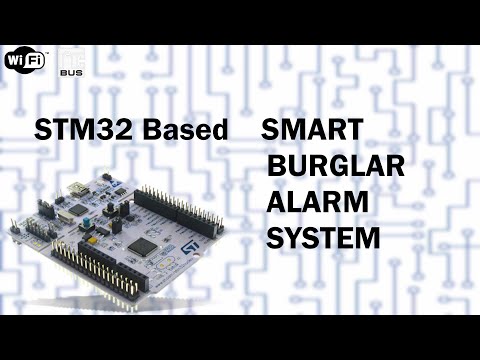
- STM32 Nucleo-64 Board: Main processing unit
- ESP32 Wemos S2 mini Module: WiFi handling and notifications
- 128x64 I2C OLED Display: User interface
- 4x4 Matrix Keypad: PIN code entry
- Reed Switch Sensor: Door/window opening detection
- HC-SR501 PIR Sensor: Motion detection
- Active Buzzer: Acoustic siren

The system is divided into two main units:
-
STM32 Nucleo-64:
- Sensor and alarm logic management
- Display and user interface control
- I2C communication with ESP32
-
ESP32 Wemos S2 mini:
- WiFi connection and notifications
- Web interface configuration
- WhatsApp message dispatch

Used for PIN code input:
- 8 total pins (4 rows as output, 4 columns as input)
- Integrated software debounce (500 ms)
- Visual feedback during entry

Credits: Antonio Mancuso's Blog
static const char keypad[4][4] = {
    {'1','2','3','A'},
    {'4','5','6','B'},
    {'7','8','9','C'},
    {'*','0','#','D'}
};Triggers:
- Door/window openings (reed switch)
- Unauthorized movements (PIR sensor)
Actions:
- Activate buzzer
- Immediate WhatsApp alert
- OLED display blinking
- PIN code authentication
- Temporary lockout after 3 failed attempts (configurable)
- PIN code stored in flash memory

- Schematic creation
- Full component testing
- Integrated shield development
- Display initialization
- Flash-based PIN management
- Alarm functions
- Reed switch via interrupt
- PIR sensor integration
- I2C communication with ESP32
- WiFi connection
- IP information dispatch
- WhatsApp notifications
- STM32CubeIDE for STM32 development
- Arduino IDE for ESP32 programming
- Required libraries (see section below)
This project makes use of the following open-source libraries:
- STM32 SSD1306 library: For interfacing with the OLED display.
- WiFiManager: Simplifies WiFi connectivity setup.
-
Clone the Repository:
git clone https://github.com/castagnoemanuele/STM32-smart-alarm.git cd STM32-smart-alarm -
Hardware Setup:
- Connect all components as per the provided schematic.
- Ensure proper power supply and secure connections.
-
Flashing the STM32:
- Open the project in STM32CubeIDE.
- Compile the source code and flash it to the STM32 Nucleo-64 board.
-
Flashing the ESP32:
- Open the ESP32 code in Arduino IDE.
- Compile and upload the code to the ESP32 S2 mini board.
-
WhatsApp Notification Setup:
- To receive WhatsApp notifications when an alarm is triggered, you need to obtain an API key from CallMeBot:
- Add the phone number +34 694 29 84 96 to your phone contacts (name it as you wish)
- Send the message "I allow callmebot to send me messages" to this contact via WhatsApp
- Wait to receive the message "API Activated for your phone number. Your APIKEY is XXXXXX" from the bot
- Enter your phone number (with international prefix) and the received APIKEY in the WiFiManager configuration interface
- Note: If you don't receive the API key within 2 minutes, please try again after 24 hours.
Example of activation message exchange with CallMeBot:

- To receive WhatsApp notifications when an alarm is triggered, you need to obtain an API key from CallMeBot:
-
ESP32 Setup:
- On power-up, connect to the "AutoConnectAP" network
- Enter WiFi credentials in the web interface
- Set phone number and WhatsApp API key


-
Arming the system:
- Press 'A' and enter your PIN
- Confirm with 'D'
-
Disarming:
- Press 'B' and enter your PIN
- Confirm with 'D'
- For ESP32, use
driver/i2c.hinstead ofWire.h - Power components with 5V for stability
Special thanks to Francesco Bellotti, Riccardo Berta, Luca Lazzaroni, Matteo Fresta, the rest of the Elios Lab Team and the authors of the open-source libraries and the community for their valuable contributions.
Future Developments:
- Mobile app for remote control
- Home Assistant integration
- GSM module for SMS alerts
- Multi-zone expansion