

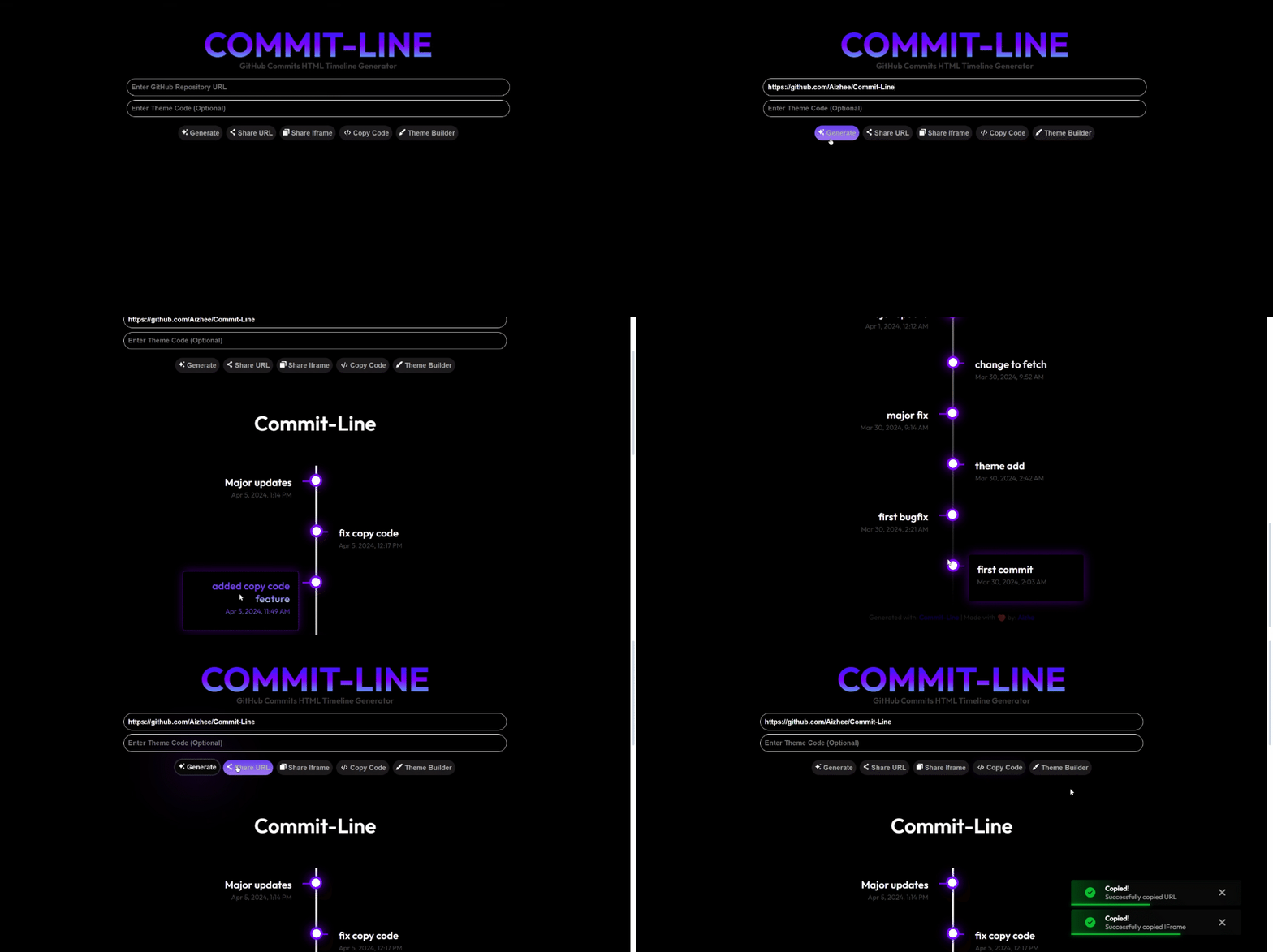

- Dynamic Timeline: Generates a timeline based on the commit history of a public GitHub repository.
- **Auto Updates: Automatically update to reflect the latest commits in the repository.
- Customizable: Customize the appearance and behavior of the timeline to suit your needs.
- Shareable: Easily share your timeline using a shareable link, iframe, or HTML code snippet.
- Responsive: Adjusts to screen size.
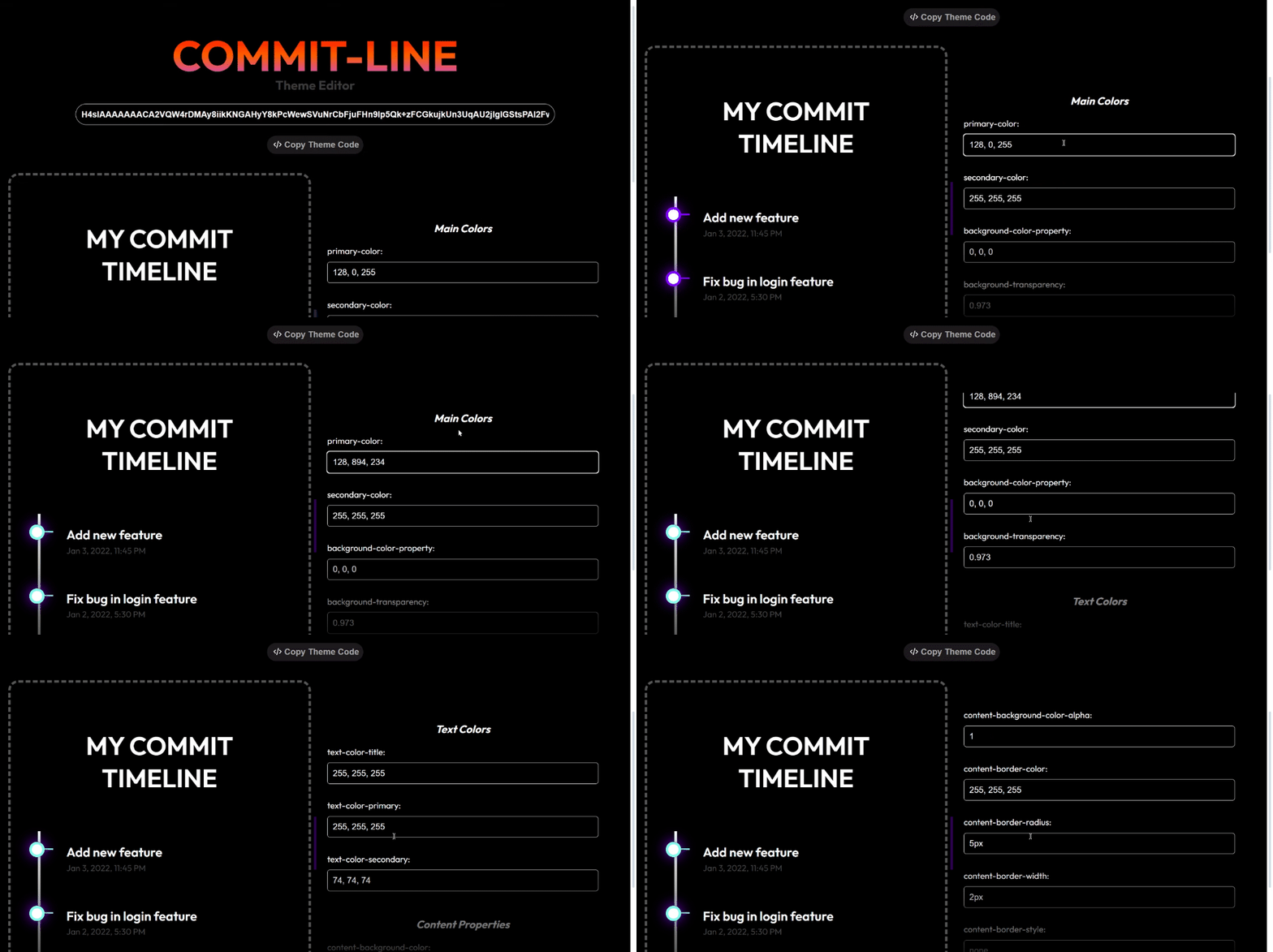


- Input GitHub Repository: Provide the URL of the public GitHub repository you want to generate the timeline for.
- Customize Timeline: Customize the appearance and behavior of the timeline using available options.
- Generate Timeline: Generate the timeline and choose your preferred sharing method.
- Share: Share your timeline via a shareable link, iframe, or HTML code snippet.
- Import Default Theme CSS:
<link rel="stylesheet" href="https://cdn.jsdelivr.net/gh/Aizhee/Commit-Line/css/base-theme.css">
<!--Modify this in Theme Editor-->
<link rel="stylesheet" href="https://cdn.jsdelivr.net/gh/Aizhee/Commit-Line/css/variables.css">- **Add two elements **with unique **IDs: In this case, an inner div with the ID
timelineand an outer divcommitLine
<div id="commitLine">
    <div id="timeline"></div>
</div>- Import Javascript Library:
import generateCommitLine from 'https://cdn.jsdelivr.net/gh/Aizhee/Commit-Line/js/commit-line.js'- Call generateCommitLine:
generateCommitLine ('your-repository-url', "innerElementID", "outerElementID", Fetch-delay-Miliseconds, 'Locale', timestampFormat)| Parameter | Description | Type |
|---|---|---|
| repositoryURL | The URL of the GitHub repository. | String |
| timelineContainerID | The ID of the timeline container element. | String |
| commitlineContainerID | The ID of the commit line container element. | String |
| delay | The recommended delay between each fetch of commits is at least 60000 milliseconds (one minute) to avoid overusing GitHub's REST API. | Int |
| locale | The locale to use for formatting timestamps. | String |
| timestampFormat | The format to use for displaying timestamps using toLocaleString(). learn more | Array |
generateCommitLine(repositoryURL, timelineContainerID, commitlineContainerID, delay, locale, timestampFormat) <!--
This HTML file demonstrates the usage of the Commit-Line library.
It includes the necessary CSS and JavaScript files and initializes the commit line.
Usage:
1. Include the base-theme.css and variables.css stylesheets from the CDN.
2. Create a div element with the id "commitLine" to contain the commit line.
3. Inside the "commitLine" div, create another div element with the id "timeline" to display the timeline.
4. Import the generateCommitLine function from the commit-line.js file using the ES6 module syntax.
5. Define the timestampFormat object to specify the format of the timestamps to be displayed.
6. Call the generateCommitLine function with the following parameters:
- The GitHub repository URL.
- The id of the timeline div.
- The id of the commitLine div.
- The interval (in milliseconds) between each commit update.
- The locale string for the timestamp format.
- The timestampFormat object.
Note: Make sure to replace the GitHub repository URL with your own.
-->
<!DOCTYPE html>
<html>
<head>
<link rel="stylesheet" href="https://cdn.jsdelivr.net/gh/Aizhee/Commit-Line/css/base-theme.css">
<link rel="stylesheet" href="https://cdn.jsdelivr.net/gh/Aizhee/Commit-Line/css/variables.css">
</head>
<body>
<div id="commitLine">
<div id="timeline"></div>
</div>
<script type="module">
import generateCommitLine from 'https://cdn.jsdelivr.net/gh/Aizhee/Commit-Line/js/commit-line.js'
timestampFormat = {
year: 'numeric',
month: 'short',
day: 'numeric',
hour: 'numeric',
minute: 'numeric',
hour12: true
};
generateCommitLine('https://github.com/Aizhee/Commit-Line', "timeline", "commitLine", 60000, 'en-US', timestampFormat)
</script>
</body>
</html>You can try out Commit-Line with our live demo here.
More detailed wiki available here.
Want to submit your custom Commit-Line Theme Codes? click here. Feel free to view other community-made themes too!
This project is licensed under the MIT License - see the LICENSE file for details.
Contributions are welcome! For major changes, please open an issue first to discuss what you would like to change.
-
GitHub API for providing access to repository data.
-
Used JS libraries on Demo Website.
- html-to-image for converting HTML to image.
- FileSaver.js for saving files on the client-side.
- pako for JavaScript data compression in theme code.
- split.js for creating resizable split views in preview.
Feel free to fork this repository and customize it according to your needs. If you have any questions or suggestions, please don't hesitate to reach out.
Happy coding! 🚀