Control your entire Mac with AI voice Agents, via:
- FaceTime: Text your Mac asking to start a FaceTime, it start a session and share screen. Then, talk naturally to instruct any computer-related task.
- iMessage: Text any other prompt, it will fulfill your task
🏆 1st Place Grand Prize at Cal Hacks 12.0 (world's largest collegiate hackathon) - Devpost
- Dylan Lu, Calvin Lu, Davyn Paringkoan
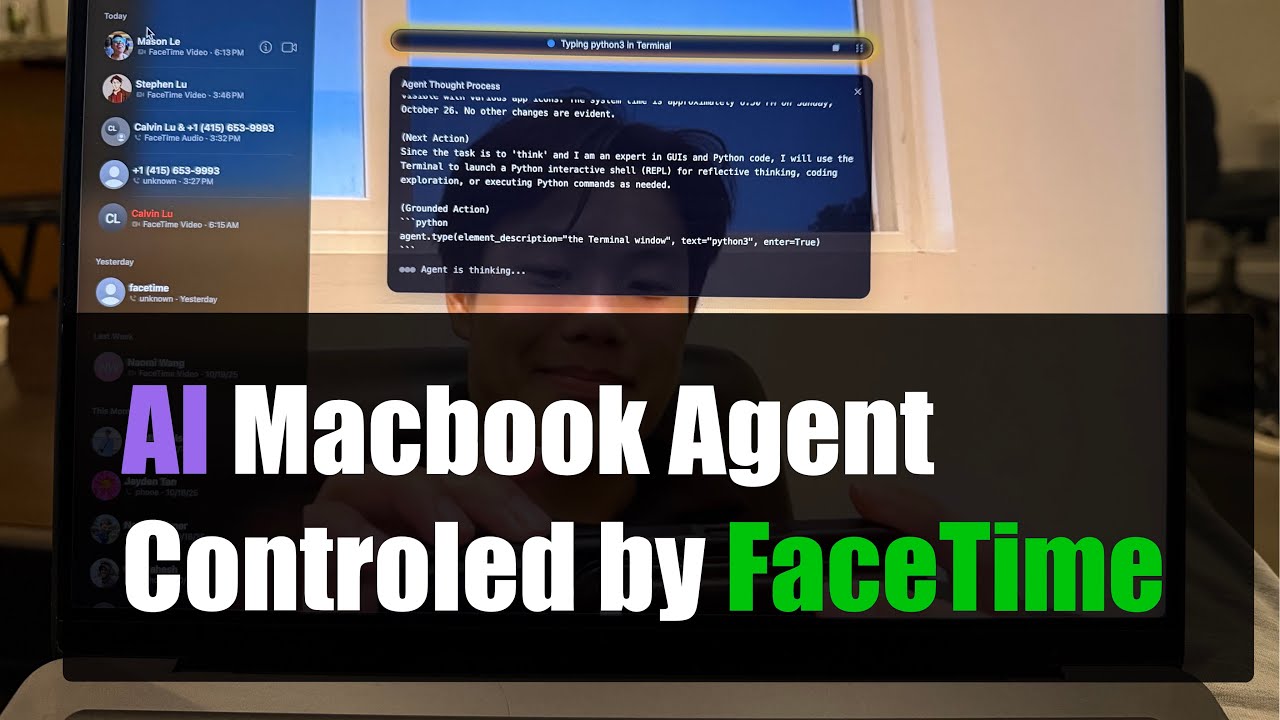
Click the image to watch the full demo on YouTube.
CalHacks.25.Quick.Demo.mp4
Our project is organized into three folders
Agent-S— Our fork of the current SoTA computer-use agent framework. Original Repobackend- Flask server to handle iMessage/FaceTime and generate voice transcriptions and repliesfrontend— UI to prompt and view current actions of Agent S

All you need is a single LLM key. Export OPENAI_API_KEY (or swap in the key for your preferred provider) and you’re ready.
1. Install dependencies
git clone https://github.com/ThePickleGawd/FaceTimeOS.git
cd FaceTimeOS

# Setup Agent-S (see original repo for more details/debugging)
cd Agent-S
uv sync

cd ..

# Setup backend
cd backend
uv sync

cd ..

# Setup UI
cd frontend
SHARP_IGNORE_GLOBAL_LIBVIPS=1 npm install --ignore-scripts
npm rebuild sharp
For more details on Agent S: https://github.com/simular-ai/Agent-S
2. Provide your API key
# Put this in ~/.zshrc or export it manually
# Grok is recommended and is currently working with no issues
export GROK_API_KEY="xai-your-grok-key"

# There are some issues with OpenAI (it worked at one point though!)
export OPEN_API_KEY="sk-your-openai-key"
See the run_*.sh files in Agent-S for an idea of what providers we support and how to add your own.
https://fish.audio/app/api-keys/
# Optional: To enable TTS and STT
export FISH_API_KEY="key"
3. Give Agent Permission to Control Keyboard/Mouse
When you launch for the first time (see final step), you will be prompted to give permissions to Terminal or VS Code, etc. This is required for the Agent to control your computer.
| Assesibility | Automation | Disk Access |
|---|---|---|
 |
 |
 |
4. Route FaceTime audio input/output (optional)
To route audio directly from FaceTime to our AI Agent, install a lightweight MacOS app. This is optional if you want to use iMessage only.

- Install BlackHole App (Install both 2 and 16 channel version. No config is needed): https://github.com/ExistentialAudio/BlackHole
- Restart computer
- In FaceTime menu,
Video->Microphoneset to BlackHole 2ch. AndVideo->Outputset to BlackHole 16ch
5. Launch FaceTimeOS
In the base directory:
# Run everything (UI, backend, Agent S). Change as needed for correct LLM provider
./run.sh
Note: The UI Grounding endpoint is no longer live. However, this is not needed unless you want the absolute best clicking accuracy. To set this up yourself, visit: https://github.com/bytedance/UI-TARS/blob/main/README_deploy.md
Why download clunky remote desktop apps when you can simply FaceTime your Mac?
FaceTimeOS lets you call or message your computer directly through native Apple interfaces — no extra setup, no third-party tools, just the simplicity of FaceTime and iMessage.
Powered by our extended Agent S3 framework, FaceTimeOS achieves state-of-the-art (OSWorld-verified) performance on common computer-use tasks — surpassing existing systems like OpenAI or Anthropic’s Computer-Use Agents.
We bring human-level computer interaction to everyone, accessible from anywhere in the world.