Front-end for DOSBox
AmpShell is an open-source game utility that allows users to play games that run on DOS. This app works as a front-end for DOSBox, a renowned app for emulating DOS. With this, you can run the games on your computer, complete with additional parameters and options.
Top Recommended Alternative

It is true that you can buy DOS games on Steam and GOG. But, some rare ones are only playable on DOSBox. Here, enters, AmpShell as it makes the experience more user-friendly. Note, however, that you will face some performance issues since you are playing old-school games. You may experience tearing and graphical glitches.
What can AmpShell do?
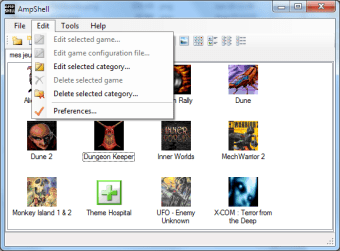
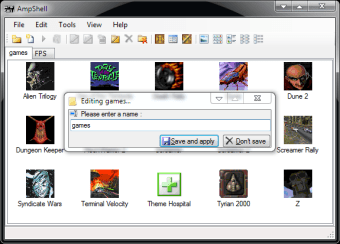
Despite its old-school interface, AmpShell is quite intuitive, making it easy to use regardless of your experience with similar tools. Moreover, the package comes with DOSBox. With this, you don't have to search and download it on your system. Once launched, it creates a new folder dubbed Games on your PC, where you can add the apps you want to play. Consequently, it can serve as an organizer for your games.
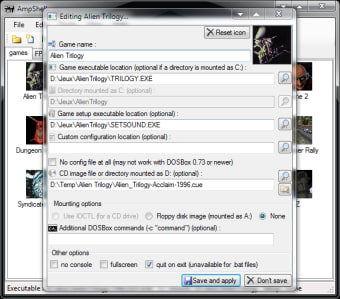
Adding a new game is quick and effortless. It only entails providing the path to the executable, the custom DOSBox configuration file, and a CD image, if possible. If you are playing games with mods, you also need to add the icon and other commands and options. To start the game, double-click on the shortcut. Doing so will open the DOSBox window. Then, you can enter the game's EXE.
It is also worth mentioning that the program comes with a configuration editor—located in the Settings window. Here, you can make changes to DOSBox. More precisely, you can open the latter app configuration file with an editor of your choice and add parameters. Nevertheless, it has an automatic configuration. It also prompts you to specify the location of the DOSBox along with the configuration file if you cannot find them.
Is the app worth it?
All in all, AmpShell is a recommended app for anyone who wishes to play old games. It is a straightforward front-end utility, allowing you to play the games you like in minutes. Moreover, it allows you to make changes to your DOSBox. You will experience some screen tearing and odd graphical glitches, but that's a given since the games are really old.