
I have found that tuples are one of the most reliable ways to store fixed data. Whether I am handling GPS coordinates for a logistics app or storing a set of tax brackets, I often need to display this data clearly.
Printing a tuple might seem like a “Day 1” task, but there are several ways to do it depending on how you want the output to look.
In this tutorial, I’ll show you the different methods I use to print tuples in Python, using real-world examples you’d actually encounter in a professional environment.
Method 1: Use the Standard print() Function
The easy way to see what is inside a tuple is to use the built-in print() function.
I use this most often during the debugging phase when I just need to verify the data structure.
Suppose we are working with a tuple that stores the names of the five most populous cities in the US.
# A tuple of the top 5 US cities by population
us_cities = ("New York City", "Los Angeles", "Chicago", "Houston", "Phoenix")

# Printing the entire tuple
print(us_cities)
Output:
('New York City', 'Los Angeles', 'Chicago', 'Houston', 'Phoenix')You can refer to the screenshot below to see the output.
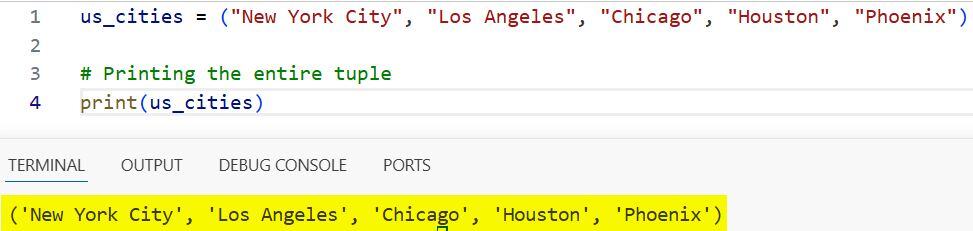
When you use this method, Python includes the parentheses and the single quotes around the strings. It is quick, but it isn’t always the “prettiest” way to show data to a user.
Method 2: Print Elements Without Parentheses (The Unpacking Operator)
Sometimes I want to print the items in a tuple separated by spaces, without the parentheses or commas.
In these cases, I use the asterisk (*) operator, also known as the “splat” or unpacking operator.
Let’s look at a tuple containing some common US currency denominations.
# A tuple of US dollar bill denominations
bill_denominations = (1, 5, 10, 20, 50, 100)

# Printing elements separated by a space
print(*bill_denominations)
Output:
1 5 10 20 50 100You can refer to the screenshot below to see the output.

This method “unpacks” the tuple into individual arguments for the print function. It is much cleaner for simple reports where the technical structure doesn’t matter to the reader.
Method 3: Use a For Loop for Multi-Line Output
If I have a longer list of data, like a set of US State abbreviations, printing them all on one line can be hard to read.
I prefer to use a for loop to print each element on its own line.
# A tuple of West Coast state abbreviations
west_coast_states = ("WA", "OR", "CA", "AK", "HI")

# Iterating through the tuple to print each state
for state in west_coast_states:
    print(state)
Output:
WA
OR
CA
AK
HI
You can refer to the screenshot below to see the output.

This is my go-to method when I am creating a simple CLI (Command Line Interface) tool for data entry.
Method 4: Format with f-Strings (The Modern Way)
Since Python 3.6, f-strings have become my favorite way to format output. They are fast and very easy to read.
I often use this when I need to combine a tuple’s data with a descriptive sentence. Let’s use a tuple representing a specific location in Washington, D.C.
# GPS Coordinates for the White House (Latitude, Longitude)
white_house_coords = (38.8977, -77.0365)

# Using an f-string to print the tuple within a sentence
print(f"The coordinates for the White House are: {white_house_coords}")
Output:
The coordinates for the White House are: (38.8977, -77.0365)If you want to access specific elements inside the f-string, you can do that too:
print(f"Latitude: {white_house_coords[0]}, Longitude: {white_house_coords[1]}")Method 5: Join Elements into a Custom String
If you have a tuple of strings and you want to join them with a specific character, like a comma or a dash, the .join() method is excellent.
Note that this only works if all elements in the tuple are strings. If they aren’t, you’ll need to convert them first.
Imagine we are listing the main ingredients for a classic American Apple Pie.
# Ingredients for an Apple Pie
ingredients = ("Apples", "Cinnamon", "Sugar", "Butter", "Flour")

# Joining with a comma and space
recipe_line = ", ".join(ingredients)

print(f"To make the pie, you will need: {recipe_line}")
Output:
To make the pie, you will need: Apples, Cinnamon, Sugar, Butter, FlourThis gives you total control over the punctuation and “look” of your data.
Bonus: Print a List of Tuples
In real-world applications, I rarely work with just one tuple. Often, I have a list of tuples, like a list of employee records.
To make this look professional, I use the pprint (Pretty Print) module.
import pprint

# Employee records: (Name, Department, ID)
employees = [
    ("Alice Smith", "Accounting", 101),
    ("Bob Johnson", "Engineering", 102),
    ("Charlie Brown", "Marketing", 103)
]

# Pretty printing the list of tuples
pprint.pprint(employees)
Output:
[('Alice Smith', 'Accounting', 101),
 ('Bob Johnson', 'Engineering', 102),
 ('Charlie Brown', 'Marketing', 103)]
This keeps the output organized and easy to scan, especially when the datasets get larger.
In this tutorial, I showed you five different ways to print a tuple in Python. From the basic print() function to advanced f-strings and the unpacking operator, you now have the tools to display your data exactly how you want.
You may also like to read:
- Define a Function in Python
- Get the Name of a Function in Python
- Use the Input() Function in Python
- Use Default Function Arguments in Python

I am Bijay Kumar, a Microsoft MVP in SharePoint. Apart from SharePoint, I started working on Python, Machine learning, and artificial intelligence for the last 5 years. During this time I got expertise in various Python libraries also like Tkinter, Pandas, NumPy, Turtle, Django, Matplotlib, Tensorflow, Scipy, Scikit-Learn, etc… for various clients in the United States, Canada, the United Kingdom, Australia, New Zealand, etc. Check out my profile.

